
How to Print on Vellum Paper (Inkjet and Laser): Settings, Drying and Smudge Fixes
· Editorial policy Last Updated:Quick answer: Yes, you can print on vellum with a home inkjet or laser printer. Buy vellum labeled for your printer type, load one sheet at a time by the edges, set the media type to Transparency (or Plain Paper with Standard or Draft quality if there is no transparency option), and take each sheet out as soon as it prints. Inkjet prints need to dry flat for several minutes because vellum does not absorb ink. Laser prints come out dry but can curl, so print small batches.
Key takeaways
- Vellum is smooth and non-porous, so inkjet ink sits on top and smears easily until it dries.
- Use the least ink you can: Transparency media type, or Plain Paper with Standard/Draft quality.
- Laser printers give crisp, instantly dry text on laser-rated vellum but can wrinkle or curl the sheet.
- Hand feed one sheet at a time, touch only the edges, and skip automatic two-sided printing.
- No home printer prints white, so white designs on vellum need a print shop or another method.
Castle Ink
Fix the error, then stop overpaying: printer toner from $10.95
Compatible printer toner cartridges for up to 70% less than the printer maker charges. Same-day shipping when you order by 4 PM ET, lifetime replacement guarantee.
Shop all printer toner →✓ Ships same day by 4 PM ET✓ Free US shipping over $50✓ Lifetime guarantee
What is vellum paper?
Vellum paper is a smooth, translucent paper that looks frosted. Light passes through it, so it is used as an overlay on invitations, cards, scrapbook pages and place cards, letting the layer underneath show through. Modern vellum is made from plant fibers (the name comes from the old calfskin parchment of the same name), and printable craft vellum is often sold in weights around 90 to 100 gsm.
Its smooth, sealed surface is what makes it look elegant, and also what makes printing on it tricky. Ordinary paper soaks up inkjet ink. Vellum does not.
Can you print on vellum paper?
Yes. Both inkjet and laser printers can print on vellum, as long as the vellum is rated for that printer type and you use settings that put down less ink (inkjet) or less heat stress (laser). Check the package. Many brands are labeled for both inkjet and laser; some are laser only.
Translucent media is a specialty paper in the same family as transparency film. If your printer manual does not mention vellum, follow its instructions for transparencies. Our transparency printing guide covers those settings by brand.
Is it better to print on vellum with an inkjet or a laser printer?
A laser printer gives the cleanest result for text, because toner is fused dry and will not smear. An inkjet is better for color designs and soft gradients, but each sheet has to dry before you handle it.
Not sure which kind you have? See is my printer inkjet or laser.
How do you print on vellum with an inkjet printer?
Use inkjet-rated vellum, test your layout on plain paper, feed one sheet, pick Transparency or Plain Paper with a lower quality setting, and let the sheet dry flat.
- Test on plain paper first. Hold the test print under a sheet of vellum to check placement over your card or invitation.
- Load one sheet. Use the rear feed or manual slot if your printer has one. Hold vellum only by its edges, because fingerprints leave marks and repel ink.
- Choose the media type. Pick Transparency if your driver lists it. If not, choose Plain Paper and set quality to Standard, Fast or Draft. Do not use a photo paper setting, which floods the sheet with ink.
- Print and remove the sheet right away. Lift it out by the edges as it exits so the next sheet does not land on wet ink.
- Dry it flat. Lay each sheet ink-side up for at least 10 to 15 minutes, and longer for heavy coverage or in humid rooms, before stacking or attaching it to anything.
How do you print on vellum with a laser printer?
Use vellum labeled for laser printers, feed it from the manual or multipurpose tray, select Transparency or a light paper type, and print only a few sheets at a time.
- Check the label. Laser vellum is made to handle fuser heat. Vellum made only for inkjets can wrinkle or warp.
- Use the manual tray. On Canon imageCLASS models that is the multipurpose tray; on office copiers it is the bypass tray.
- Set the media type. Choose Transparency if listed, or Light/Thin for lightweight vellum.
- Print in small batches. Staples' vellum instructions say to print no more than 5 sheets at a time on a laser printer, then let the printer cool.
- Flatten if needed. If sheets come out wavy, stack them under a heavy book overnight.
Which side of vellum do you print on?
Most craft vellum prints the same on both sides. Some brands mark a printable side, so check the package. What matters more is loading it so the side you want printed faces the printhead: front-tray inkjets usually print on the side facing down, and rear-feed printers usually print on the side facing you. Our paper loading guide has a tray-by-tray chart.
What printer settings should you use for vellum on HP, Canon, Epson and Brother?
Choose Transparency where it exists. Otherwise choose Plain Paper with the lowest quality setting that still looks good.
- Canon: Choose vellum or Transparency if listed in Media Type. If neither is there, choose Plain Paper and set Print Quality to Fast or Draft. PIXMA models take vellum in the rear sheet feeder; imageCLASS lasers use the multipurpose tray.
- HP: Most current DeskJet, ENVY and OfficeJet drivers have no vellum type. Use Plain Paper with Normal or Draft quality and feed one sheet at a time.
- Epson: Use Plain Paper with a lower quality setting, the same approach Epson recommends for films on models without a transparency setting. Use the rear feed on models that have it.
- Brother: Brother laser drivers list Transparencies under Media Type. On Brother inkjets, use Plain Paper and the manual feed slot if your model has one.
Turn off automatic two-sided printing. Print one side, let it dry completely, then hand-feed the sheet for side two.
Why is the ink smearing on my vellum?
Ink smears on vellum because it has nowhere to soak in. The usual causes are too much ink, a photo paper setting, handling the sheet too soon, or the next sheet landing on wet ink.
- Lower the ink load: use Draft or Standard quality and avoid large solid areas of dark color.
- Use a narrower or lighter font: thin strokes carry less ink and dry faster.
- Remove each sheet as it prints: do not let pages stack in the output tray.
- Give it more drying time: humid rooms slow drying a lot.
- Check the vellum: laser-only vellum has no ink-receptive surface, so inkjet ink may never dry properly on it.
More causes and fixes: why is my printer ink smudging.
Why does vellum jam, wrinkle or curl in my printer?
Vellum is thin, slick and sensitive to heat and moisture, so it can slip, skew or buckle. Feed one sheet at a time, set the guides snugly, and store vellum flat in its package.
- Skewed or double feeds: load a single sheet and make sure the edges are square. See printer won't pick up paper.
- Wrinkles from a laser: switch to laser-rated vellum, use the manual tray and let the printer cool between small batches.
- Wavy sheets after inkjet printing: heavy ink coverage makes vellum buckle. Reduce coverage and dry flat.
- Stuck sheet: pull it out gently in the direction of the paper path. Our paper jam guide covers each brand.
Keep unused sheets sealed and flat. See how to store printer paper.
How do you print vellum wedding invitations at home?
Print the wording on vellum, let it dry fully, then layer it over a printed or solid cardstock invitation and attach it at the top or with a band.
- Design the vellum layer and the card layer as separate files at the same size.
- Print the card layer on cardstock. See best cardstock for wedding invitations.
- Print the vellum layer using the steps above, then dry each sheet for at least 15 minutes.
- Trim both layers on a paper trimmer.
- Attach the vellum with a ribbon, belly band, brad or vellum tape along one edge. Wet glue shows through vellum and makes it buckle, so use adhesives sparingly.
Can you print white ink on vellum?
Not at home. Home inkjet and laser printers have no white ink or toner. For white text on vellum, use a print shop with white-ink equipment, or use white embossing powder or foil over a printed design.
Does printing on vellum use more ink?
No. You should use less ink on vellum than on paper, since a lower quality setting is the main fix for smearing. Keep spares of your usual cartridges on hand for invitation runs, though. Castle Ink's remanufactured Canon PG-245XL black, HP 67XL 2-pack and HP 63XL 2-pack are common picks, or find ink by printer model.
Castle Ink does not sell vellum. You can browse printable vellum paper on Amazon. Check that the listing names your printer type.
As an Amazon Associate, Castle Ink earns from qualifying purchases.
Frequently Asked Questions
Can you print on vellum with an inkjet printer?
Yes. Use vellum labeled for inkjet, feed one sheet at a time, choose Transparency or Plain Paper with Standard or Draft quality, and let each sheet dry flat for at least 10 to 15 minutes before handling it.
Can you put vellum in a laser printer?
Yes, if the vellum is labeled for laser printers. Feed it from the manual or multipurpose tray, choose Transparency or a light paper type, and print a few sheets at a time so the sheets do not wrinkle from the heat.
How long does ink take to dry on vellum?
Inkjet ink on vellum usually needs at least 10 to 15 minutes to dry flat, and longer for heavy coverage or in humid rooms. Laser prints are dry as soon as they leave the printer.
What setting should I use to print on vellum?
Choose Transparency if your printer driver lists it. If not, choose Plain Paper and a lower quality setting such as Standard, Fast or Draft so less ink goes on the sheet.
Can you print on both sides of vellum?
Yes, but not with automatic two-sided printing. Print the first side, let it dry completely, then hand-feed the sheet to print the second side. Because vellum is translucent, the back side will show through the front.
Related guides
- How to print on transparency paper
- How to print on cardstock
- Can you print on construction paper?
- How to print on envelopes
- Pigment vs. dye ink
Sources
Checked on November 26, 2026.
Castle Ink
Save up to 70% on printer toner
Compatible cartridges with a lifetime replacement guarantee. Order by 4 PM ET and it ships the same day. Free US shipping over $50.
Best-selling printer toner
Shop all printer toner →-
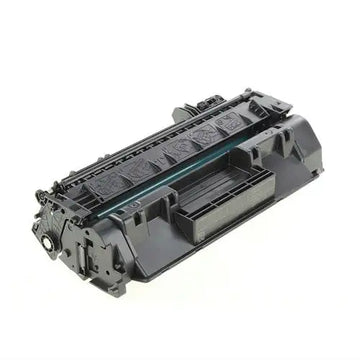 HP 80A Black Toner Cartridge (CF280A) – Compatible
$39.95
$69.95View cartridge → -
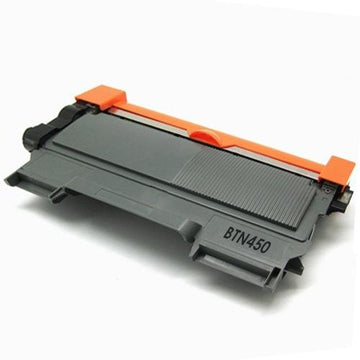 Brother TN450 Black Toner Cartridge – High-Yield Compatible
$30.95
$71.49View cartridge → -
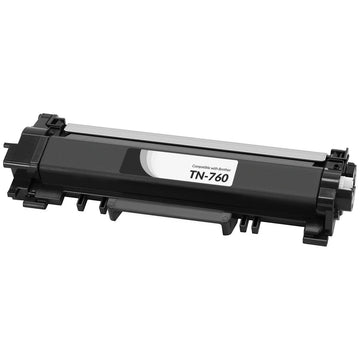 Brother TN760 Black Toner Cartridge – High-Yield Compatible
$31.95
$59.95View cartridge → -
 Brother TN660 Black Toner Cartridge – High-Yield Compatible
$29.95
$69.95View cartridge →
More printer help
All printer help →