

Product Specifications
| SKU | DR360 |
|---|---|
| OEM Part Number | DR-360 |
| Cartridge Type | Drum Unit |
| Compatible Brand | Brother |
| Condition | New compatible (non-OEM) |
| Warranty | 100% Satisfaction Guarantee |
Product Description
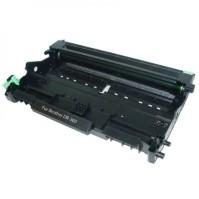
Brother DR360 Drum Unit at a glance: a drum unit rated at about 12,000 pages. Compatible: newly manufactured to Brother's specifications. Holds TN330 or TN360 toner, which is sold separately. Backed by a 1-year 100% satisfaction guarantee; orders by 4 PM ET (Mon–Fri) ship the same day from Long Island, NY.
Key Facts
| Condition | Compatible (newly manufactured to the original's specifications) |
| Replaces OEM part | DR360 (Brother DR-360) |
| Page yield | About 12,000 pages (manufacturer rating for the original) |
| Guarantee | 1-year 100% satisfaction guarantee: replacement or refund |
| Shipping | Same business day when ordered by 4 PM ET (Mon–Fri); free shipping on orders over $50 |
What's in the Box
- 1 × Brother DR360 compatible drum unit — about 12,000 pages
Page yields are the manufacturer's rating for the matching original cartridge, measured at roughly 5% page coverage under ISO/IEC 19752 or 19798 testing. Your results will vary with what you print.
Compatible Printers (10 models)
- Brother HL-2140 / HL-2150N / HL-2170W
- Brother DCP-7030 / DCP-7040
- Brother MFC-7320 / MFC-7340 / MFC-7345N / MFC-7440N / MFC-7840W
Don't mix these up: DR360 works with TN330 and TN360 toner. It is not the same as DR350 (HL-2040/MFC-7420/MFC-7820) or DR420.
Not sure? Look up your exact model on our Find Ink by Printer page, or contact us and we'll confirm the right drum for you.
Printer guides: Brother HL-2140 toner guide | Brother HL-2170W toner guide | Brother MFC-7340 toner guide | Brother MFC-7840W toner guide
Part Numbers & Also Known As
This drum unit replaces or is also searched for as: DR360, DR-360, Brother DR360 drum, DR 360
Chips, Printer Messages & Installation
Installing: open the front cover and lift out the drum unit with the toner attached. Push down the green lock lever and lift the toner cartridge out of the old drum, then click it into the new drum until the lever lifts. Slide the corona wire tab back and forth a few times and reinstall the assembly.
Reset the drum counter: after installing a new drum, reset the drum counter from the printer's menu or by holding the Go/OK button with the front cover open (the exact steps vary by model). If you skip this, the "Replace Drum" message stays on.
Drum vs. toner: this is the drum only. It works with TN330 or TN360 toner and lasts through several toner cartridges.
Still stuck? See our guide to fixing a cartridge that isn't recognized or contact us and we'll make it right.
Compatible vs. Original Drum Units
Original (OEM) drums are new from the printer brand and cost the most. Compatible drums, like this one, are newly manufactured by a third party to the original's size and page-life specifications, so they drop into the same slot at a much lower price. Castle Ink sells compatible (newly manufactured) toner and drums and remanufactured inkjet cartridges.
Other Options for the Same Printers
Frequently Asked Questions
How long does the DR360 last?
About 12,000 pages at one page per job, based on Brother's rating. Printing several pages per job extends it.
Is toner included?
No. This is the drum only; it holds a TN330 or TN360 toner cartridge.
Will this void my printer warranty?
No. Under the U.S. Magnuson-Moss Warranty Act, a manufacturer can't void your printer warranty just because you used a third-party or remanufactured supply. If a non-original supply directly caused damage, that specific repair might not be covered.
How long can I store it?
Keep the drum sealed in its light-proof bag at room temperature, away from direct sunlight, until you install it.
When will my order ship?
Orders placed by 4 PM ET, Monday through Friday, ship the same business day from Long Island, NY, by USPS (2–5 business days). Expedited 1–2 day delivery is available at checkout, and shipping is free on orders over $50.
- See all Brother Printer Drum Units — Compatible Replacement Drums
- See all Brother Toner Cartridges
- See all Printer Drum Units – Compatible Replacement Drums for Every Brand
- See all Toner Cartridges