
Last updated: November 27, 2026.
Quick answer: Brother TN920 is the black toner for Brother’s current business lasers, including the HL-L5210DW, HL-L6210DW, MFC-L5715DW, MFC-L5915DW and MFC-L6810DW. It comes in four sizes: TN920 (about 3,000 pages), TN920XL (6,000), TN920XXL (11,000) and TN920UXXL (18,000). Castle Ink sells compatible versions of all four.

Castle Ink
Fix the error, then stop overpaying: Brother toner from $10.95
Compatible Brother toner cartridges for up to 70% less than Brother charges. Same-day shipping when you order by 4 PM ET, lifetime replacement guarantee.
Compare genuine vs compatible Brother toner prices →
Shop all Brother toner →✓ Ships same day by 4 PM ET✓ Free US shipping over $50✓ Lifetime guarantee
Which Brother Printers Use TN920 Toner?
| Series | Models |
|---|---|
| HL (printers) | HL-L5210DN, HL-L5210DW, HL-L5210DWT, HL-L5215DW, HL-L6210DW, HL-L6210DWT, HL-L6217DW, HL-L6310DW, HL-L6415DW, HL-L6415DWT, HL-EX415DW |
| DCP (copiers) | DCP-L5510DN |
| MFC (all-in-ones) | MFC-L5710DN, MFC-L5710DW, MFC-L5715DW, MFC-L5717DW, MFC-L5915DW, MFC-L6810DW, MFC-L6915DW, MFC-EX915DW |
TN920 vs TN920XL vs TN920XXL vs TN920UXXL
| Cartridge | Approx. pages (5% coverage) | Fits |
|---|---|---|
| TN920 | ~3,000 | All models above |
| TN920XL | ~6,000 | All models above |
| TN920XXL | ~11,000 | All models above |
| TN920UXXL | ~18,000 | HL-L5215DW, HL-L6210DW, HL-L6210DWT, HL-L6310DW, HL-L6415DW, HL-L6415DWT, HL-EX415DW, MFC-L5715DW, MFC-L5915DW, MFC-L6810DW, MFC-L6915DW, MFC-EX915DW only |
The ultra-high-yield TN920UXXL does not fit the lower-end models such as the HL-L5210DN, HL-L5210DW, DCP-L5510DN and MFC-L5710DW. Check the list before ordering it.
Do I Need a Drum Unit With TN920?
Yes. The TN920 toner sits in a separate DR920 drum unit, which outlasts several toners. Replace the drum only when the printer asks, and move it over to each new toner.
How Do I Install a TN920 Toner Cartridge?
- Open the front cover and pull out the drum and toner assembly.
- Press the green lock lever on the DR920 drum and lift out the old toner.
- Gently rock the new TN920 side to side a few times to spread the toner, then remove its protective cover.
- Push it into the drum until it clicks into place.
- Clean the corona wire by sliding the green tab on the drum left and right a few times, then return it to its home position.
- Reinsert the assembly and close the cover.
If the printer still asks for toner after you install a new cartridge, reseat it firmly in the drum and check that all packaging is removed. Our guide on how to reset a Brother toner cartridge covers the menu reset and the "continue" setting.
Frequently Asked Questions
Which TN920 size should I buy?
If your printer takes it, the largest size costs the least per page. The UXXL fits only the higher-end models listed above; every model takes the TN920XXL.
Does TN920 replace TN850?
No. TN850 fits the older HL-L5200 and HL-L6200 series. The TN920 family is for the newer HL-L5210, HL-L6210 and MFC-L5710/L6810 series.
How many pages does TN920 print?
About 3,000 pages for TN920, 6,000 for TN920XL, 11,000 for TN920XXL and 18,000 for TN920UXXL at 5% coverage.
Can I use a compatible cartridge without voiding my warranty?
In the US, the Magnuson-Moss Warranty Act means a manufacturer can’t void your printer warranty simply because you used a third-party cartridge. They can only deny coverage for damage the cartridge actually caused.
Shop Brother TN920 Toner
Orders placed by 4 PM ET Monday–Friday ship the same day, and shipping is free on orders over $50.
- Compatible Brother TN920 (3,000 pages)
- Compatible Brother TN920XL (6,000 pages)
- Compatible Brother TN920XXL (11,000 pages)
- Compatible Brother TN920UXXL (18,000 pages)
Related: How to reset a Brother toner cartridge · How long do toner cartridges last? · Find ink by printer
Castle Ink
Save up to 70% on Brother toner
Compatible cartridges with a lifetime replacement guarantee. Order by 4 PM ET and it ships the same day. Free US shipping over $50.
Best-selling Brother toner
Shop all Brother toner →-
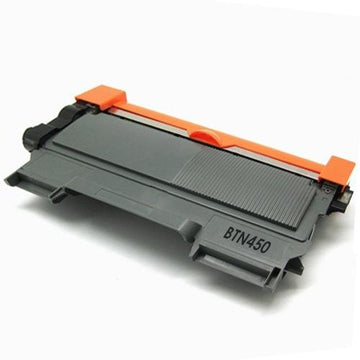 Brother TN450 Black Toner Cartridge – High-Yield Compatible
$30.95
$71.49View cartridge → -
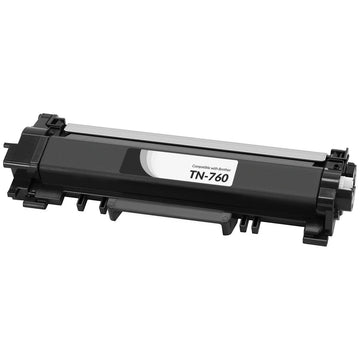 Brother TN760 Black Toner Cartridge – High-Yield Compatible
$31.95
$59.95View cartridge → -
 Brother TN660 Black Toner Cartridge – High-Yield Compatible
$29.95
$69.95View cartridge → -
 Brother DR420 Drum Unit – Compatible
$41.95
$69.95View cartridge →
More Brother printer help
All printer help →- What Is Brother TN436 Toner & Which Printers Use It?
- What Is the Brother DR630 Drum Unit & Which Printers Use It?
- What Is the Brother DR730 Drum Unit & Which Printers Use It?
- What Is Brother TN850 Toner & Which Printers Use It?
- What Is Brother TN227 Toner & Which Printers Use It?
- What Is Brother TN450 Toner & Which Printers Use It?