

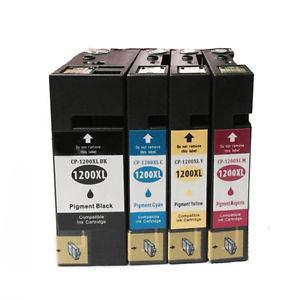
Product Specifications
| SKU | PGI-1200SET |
|---|---|
| OEM Part Number | PGI-1200XLBK, PGI-1200XLC, PGI-1200XLM, PGI-1200XLY, 9183B001, 9196B001, 9197B001, 9198B001 |
| Cartridge Type | Ink Cartridge |
| Compatible Brand | Canon |
| Color | Multi-Pack |
| Condition | Remanufactured |
| Warranty | 100% Satisfaction Guarantee |
Product Description
Canon PGI-1200XL Ink Cartridges at a glance: 4 remanufactured ink cartridges in one order — Canon PGI-1200XL Black, Canon PGI-1200XL Cyan, Canon PGI-1200XL Magenta, Canon PGI-1200XL Yellow. Each one starts as a genuine Canon cartridge that is cleaned, refilled and quality-tested. Fits the MAXIFY MB2020, MAXIFY MB2120, MAXIFY MB2320 and other models listed below. Works out to about $11.49 per cartridge. Backed by our 1-year 100% satisfaction guarantee; orders placed by 4 PM ET (Mon–Fri) ship the same day from Long Island, NY.
Key Facts
| Condition | Remanufactured (original Canon cartridges, cleaned, refilled and tested) |
| Cartridges in the pack | 4 |
| Replaces OEM parts | 9183B001 + 9196B001 + 9197B001 + 9198B001 |
| What the pack contains | 1 × Canon PGI-1200XL Black, 1 × Canon PGI-1200XL Cyan, 1 × Canon PGI-1200XL Magenta, 1 × Canon PGI-1200XL Yellow |
| Price per cartridge | about $11.49 |
| Guarantee | 1-year 100% satisfaction guarantee on every cartridge: replacement or refund |
| Shipping | Same business day when ordered by 4 PM ET (Mon–Fri); free shipping on orders over $50 |
What's in the Box
- 1 × Canon PGI-1200XL Black (9183B001) remanufactured ink cartridge
- 1 × Canon PGI-1200XL Cyan (9196B001) remanufactured ink cartridge
- 1 × Canon PGI-1200XL Magenta (9197B001) remanufactured ink cartridge
- 1 × Canon PGI-1200XL Yellow (9198B001) remanufactured ink cartridge
Compatible Printers (4 models)
- Canon MAXIFY MB2020
- Canon MAXIFY MB2120
- Canon MAXIFY MB2320
- Canon MAXIFY MB2720
Every cartridge in this pack fits each printer listed. Not sure? Look up your exact model on our Find Ink by Printer page, or contact us and we'll confirm.
Need Just One Color?
Each cartridge in this pack is also sold on its own:
- Canon PGI-1200XL Black (9183B001)
- Canon PGI-1200XL Cyan (9196B001)
- Canon PGI-1200XL Magenta (9197B001)
- Canon PGI-1200XL Yellow (9198B001)
Part Numbers & Also Known As
This pack replaces or is also searched for as: 9183B001, 9196B001, 9197B001, 9198B001
Installation
Installing each cartridge: open the printer's cover until the print head holder moves to the replacement position. Press the tab on the empty tank and lift it out. Take the new tank out of its bag, twist or pull off the orange protective cap without touching the ink outlet, set it into the slot that matches its color and press down on the top until it clicks into place. Close the cover.
Replace one color at a time and keep the rest sealed until needed. If a cartridge isn't recognized, take it out, check that all tape is off and reseat it; see our guide to fixing a cartridge that isn't recognized.
Frequently Asked Questions
What's in this pack?
1 × Canon PGI-1200XL Black (9183B001); 1 × Canon PGI-1200XL Cyan (9196B001); 1 × Canon PGI-1200XL Magenta (9197B001); 1 × Canon PGI-1200XL Yellow (9198B001).
Which printers does it fit?
MAXIFY MB2020, MAXIFY MB2120, MAXIFY MB2320 and MAXIFY MB2720. See the full list above.
Will this void my printer warranty?
No. Under the U.S. Magnuson-Moss Warranty Act, a manufacturer can't void your printer warranty just because you used a third-party or remanufactured supply.
How long can I store the spares?
Keep them sealed, at room temperature and out of direct sunlight, and use them within about 24 months.
When will my order ship?
Orders placed by 4 PM ET, Monday through Friday, ship the same business day from Long Island, NY. Shipping is free on orders over $50.
- See all All Ink & Toner
- See all Canon PGI-1200 Ink Cartridges – 1200 & 1200XL for MAXIFY
- See all Canon Printer Ink
Guides for this cartridge
- Skip, pause or cancel anytime from your account or any order email
- 10% off every delivery, locked in for as long as you subscribe
- Same remanufactured quality, 1-year guarantee on every cartridge