
How to Replace the Toner in a Canon imageCLASS Printer (Step by Step)
· Editorial policy Last Updated:Last updated: November 26, 2026.
Quick answer: To replace toner in a Canon imageCLASS, turn the printer on, open the front or toner cover, pull the old cartridge straight out by its handle, take the new one out of its bag, rock it gently side to side, remove the protective seal or cover it comes with, slide it in until it stops, and close the cover. Use the exact cartridge number for your model, because a wrong one will not fit or will be rejected. Canon recommends not replacing toner until the printer asks you to.
Castle Ink
Fix the error, then stop overpaying: Canon toner from $10.95
Compatible Canon toner cartridges for up to 70% less than Canon charges. Same-day shipping when you order by 4 PM ET, lifetime replacement guarantee.
Shop all Canon toner →✓ Ships same day by 4 PM ET✓ Free US shipping over $50✓ Lifetime guarantee
What You Need
- The right cartridge. Canon desktop lasers use numbers such as 137, 051, 055 and 045. The label inside the cover and our find toner by printer page show which one your model takes. Model-specific pages like MF455dw, LBP226dw and the Canon 137 family list the compatible ones.
- A flat, clean surface and a sheet of paper under the printer to catch stray toner.
- The new cartridge still in its packaging until you are ready. Canon advises storing toner unopened and, if you remove one for storage, keeping it in its original packing material (Canon support).
How to Replace a Canon Toner Cartridge
The general sequence for Canon desktop lasers. Your manual has the model-specific pictures.
- Wait for the message. When the display says to replace the toner, you are ready. Canon's own guidance for its larger machines is not to swap toner before the prompt appears and not to do it while the machine is printing (Canon manual).
- Open the cover. Close the multi-purpose tray first if your model has one, then open the front cover (Canon support).
- Remove the old cartridge. Hold it by the handle or tabs and pull it out. On larger Canon units, pull it halfway, support it from underneath with your other hand, then remove it while keeping it level (Canon manual). Put it in the bag the new one came in so toner does not spill.
- Prepare the new one. Take it out of the packaging, hold it by the handle and rock it gently side to side. Canon's instructions say to shake it gently, because if you do not, toner may spill when it goes in (Canon support). Remove any seal, tape or protective cover that came with it.
- Install it. Line up the guides on both sides and push the cartridge in until it stops. With a color model, make sure the color you are fitting matches its slot.
- Close the cover gently but firmly and wait for the printer to return to ready.
If you have a color imageCLASS
Replace only the color the printer names. When more than one is low, Canon's guidance for its imageRUNNER machines is to go in the order black, yellow, magenta, cyan (Canon manual). Be aware that when a non-black cartridge reaches the end of its life, some models will only print in black and white until you replace it (Canon support).
What the Toner Messages Mean
| Message | What it means | What to do |
|---|---|---|
| Toner needs to be replaced soon | Low, but still printing | Order a cartridge now. Canon says you can keep printing and that replacing before a big job is recommended (Canon support). |
| Replace toner cartridge | End of life reached | Replace now. You can sometimes press a button to continue, but Canon warns this may damage the printer. |
| Print too light or streaky, no message | Toner is unevenly distributed or the cartridge is nearly empty | Rock the cartridge gently, reinstall, and replace if it stays faint (Canon's own advice on this page is to replace if prints stay too thin). |
Troubleshooting After a Swap
The printer does not recognize the new cartridge
Take it out, check that no seal or protective cover is left on, and reseat it until it stops. Make sure the number matches your model. Our not recognized guide goes through the chip and contact checks.
Pages come out blank or very light
Most often the sealing tape is still in place, or the cartridge was not rocked first. See why a printer prints blank pages.
Toner on the page or lines down the page
Spilled toner or a worn drum or fuser. Wipe stray toner from the inside with a dry lint-free cloth, never a wet one. If streaks stay, read drum unit vs toner cartridge and our printer parts glossary.
Still says low after a fresh cartridge
Some models count pages and need the counter reset when a cartridge is replaced before the replace message appears. Canon's service documentation for certain machines says to reset the cartridge counter in that case (Canon support). Check your model's manual for the exact menu.
Genuine, Compatible and Remanufactured Canon Toner
Canon warns that counterfeit toner or drum cartridges can cause poor print quality and says it is not responsible for damage that results (Canon support). Compatible and remanufactured cartridges are not counterfeits, but quality varies a lot by seller. Our honest guide to compatible toner brands shows what to look for and what reman toner really saves.
Disposing of the Old Cartridge
Do not throw it in the trash. Slip it back in the new cartridge's bag and see our guide on how to dispose of toner cartridges, or how to recycle them for cash.
FAQ
How do I know when to replace my Canon toner?
When the display or status window asks you to. A low-toner warning means you can usually keep printing for a while; the end-of-life message means it is time to swap.
How many pages does a Canon toner cartridge last?
It depends on the cartridge. The rated yield is printed on the box and listed on each product page. Real life depends on coverage, since a page that is mostly text uses much less than one with graphics.
Can I shake the cartridge to get more pages?
Rocking it gently side to side can even out the powder and sometimes buys a short extension, but it is a stopgap. Do not hit or drop it.
Do I need to replace the drum with the toner?
Many Canon desktop lasers use an all-in-one cartridge, so the drum is replaced with the toner. Larger models can have a separate drum, so check yours before assuming.
Why does my Canon printer still say low after I replaced the toner?
A seal may be in place, the cartridge may not be fully seated, or on some models you must reset the counter. Reseat it first.
Is it normal for toner to leave dust inside?
A little loose toner is normal. Wipe it with a dry lint-free cloth and do not breathe it in.
Can I use any brand of toner in my imageCLASS?
The cartridge number must match, and you can choose genuine or compatible. Canon recommends genuine cartridges; compatible ones from reputable sellers generally work.
Can I print in black only if a color toner is empty?
On some models yes, on others the printer stops. Canon notes that when a non-black cartridge reaches end of life, some models limit you to black-and-white printing.
Sources
Castle Ink
Save up to 70% on Canon toner
Compatible cartridges with a lifetime replacement guarantee. Order by 4 PM ET and it ships the same day. Free US shipping over $50.
Best-selling Canon toner
Shop all Canon toner →-
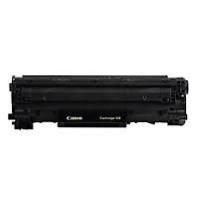 Canon 128 Black Toner Cartridge (3500B001AA) – Compatible
$31.95
View cartridge →
-
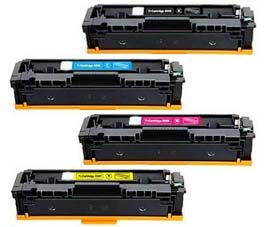 Canon 054H Toner Cartridges (3028C001/3027C001/3026C001/3025C001) – BKCMY High-Capacity 4-Pack Compatible
$102.95
$315.80View cartridge → -
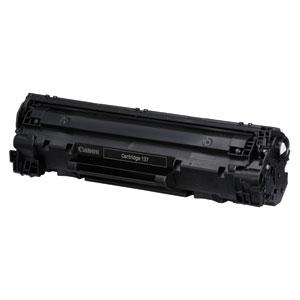 Canon 137 Black Toner Cartridge (9435B001) – Compatible Replacement
$28.95
$89.95View cartridge → -
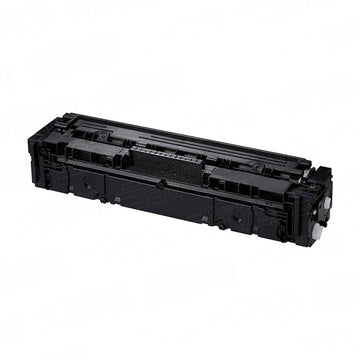 Canon 054H Black Toner Cartridge (3028C001) – High-Capacity Compatible
$34.95
$78.95View cartridge →
More Canon printer help
All printer help →- Canon 137 Toner: Which imageCLASS Printers Use It and How the Models Differ
- Canon Printer Error Codes Explained: B200, 5200, 5B00, 1700, 1688 and More
- Printer Blinking Light? What Every Flashing Light Means (HP, Canon, Epson, Brother)
- How to Make Copies on a Printer (HP, Canon, Epson & Brother): Step by Step
- Best Compatible Ink for Canon PG-245 & CL-246 (2026): Remanufactured vs Genuine
- How to Connect a Canon Printer to Wi-Fi (and Fix It When It Won't Connect)