
Canon Printer Error Codes Explained: B200, 5200, 5B00, 1700, 1688 and More
· Editorial policy Last Updated:Last updated: November 26, 2026.
Quick answer: Canon PIXMA errors show a support code on the printer screen and your computer. Most are one of four kinds. Power-cycle codes (5011, 5012, 5200, 5400, 6000 and similar) usually clear after you switch off, unplug and restart. Cartridge codes (1401, 1403, 1660, 1680, 1684, 1686, 1688, 168A) are fixed by reseating or replacing a cartridge. Blockage codes (5100, C000) mean something is stopping the print head. Service codes (B200, 5B00 and the ink absorber warnings 1700 to 1715) mean Canon wants the printer serviced.
Castle Ink
Fix the error, then stop overpaying: Canon ink from $3.95
Remanufactured Canon ink cartridges for up to 70% less than Canon charges. Same-day shipping when you order by 4 PM ET, lifetime replacement guarantee.
Compare genuine vs remanufactured Canon ink prices →
Shop all Canon ink →✓ Ships same day by 4 PM ET✓ Free US shipping over $50✓ Lifetime guarantee
How to Find Your Code
Canon says the support code appears on the computer screen and, on many models, as a short error code such as E08 on the printer's own display. For models without a code on the display, check the Canon Print app or the window on your computer (Canon manual). Look the code up below, then check your model's page in Canon's online manual, because wording differs between series.
Start with the group your code falls in.
Cartridge and Ink Codes
| Code | What it means | What to do |
|---|---|---|
| 1401, 1403, 1405 | Print head missing, wrong type or possibly damaged | Reseat or install the correct head or cartridge. If it persists, contact Canon service. |
| 1660 | An ink tank is not installed | Install it. |
| 1680, 1681 | Tank in the wrong slot, or two of the same color | Check every tank is in its own color position. |
| 1684, 1686, 1682 | A cartridge is not recognized, or a problem was detected | Reseat it. Check it is the right model and replace it if the code stays. |
| 1688 | Ink has run out | Replace the empty cartridge. Canon warns that printing with no ink may damage the machine; some models let you hold Stop for about five seconds to override. |
| 168A | Cartridge missing, not seated, or incompatible | Reseat or replace. Check the number against your model. |
| 1890 | Shipping tape or packing material on the cartridge holder | Open the cover and remove it. |
| 2900 / 2500 | Head alignment sheet could not be scanned or aligned | Use one plain sheet, clean the glass, check for clogged nozzles, then align manually in the driver. |
Sources for the table: Canon support codes and the TS3700 series error manual. Related reading on our site: cleaning Canon print heads, head alignment and cartridge not recognized.
Power and General Printer Errors: 5011, 5012, 5200, 5400, 6000 and Friends
These are general printer errors. Canon's fix is to turn the printer off, unplug it, wait, plug it back in and turn it on. If the code returns, contact service (Canon). The list includes 5011, 5012, 5200, 5205, 5206, 5400, 6000, 6500, 6502, 6800, 6801, 6900 to 6946 and C000 on various models. For code 6910, Canon also says to switch off other networked devices, set IPv6 to inactive and try a different location. On the TS3700 series the same fix covers the P06, P08, P09, P20, P22 and similar panel codes.
How to do a proper power-cycle
- Cancel any print job and turn the printer off with its power button.
- Unplug the cord from the wall, and from the printer if it detaches.
- Wait a minute or two.
- Plug it directly into the wall, not a power strip.
- Turn it on and let it finish warming up before printing.
Our Canon printer reset guide has model-specific resets if this does not clear it.
5100 and C000: Something Is Blocking the Print Head
Canon describes 5100 as a printer error often caused by a jam or packing material blocking the print head holder. Cancel the job, switch the printer off, open the cover and clear the obstruction (look for scraps of paper, tape or foam). Check the carriage slides freely from side to side, then power on. If the head will not move at all, it is a service problem.
B200: The Print Head Error That Usually Means Service
B200 is the one people fear. Canon support's standing answer on its community forum is that it indicates the printer needs service, and that you should turn it off, unplug it and contact Canon (Canon USA community). A power cycle is worth one try. Beyond that, the usual causes are a failed print head or a damaged ink path, and repair on a budget printer often costs more than a replacement. Canon's own staff note that out-of-warranty owners may be offered its upgrade program.
1700 to 1715 and 5B00: The Ink Absorber Warnings
Inside every Canon inkjet is an ink absorber (waste ink pad) that catches the ink used in cleaning cycles. When it is nearly full, the printer shows 1700, 1701, 1712, 1713, 1714 or 1715, or E08 on some displays. Canon's instruction for 1700, 1712 and 1714 is to press OK to keep printing and contact the service center (Canon). When it is completely full, you get 5B00, 5B12 or 5B14, which Canon lists as ink absorber full or a printer error that needs service.
What this means in practice:
- The first warning is a heads-up, not a stop. You can keep printing for a while.
- 5B00 stops printing until the absorber is serviced.
- Replacing the pad is a service job. Third-party reset utilities exist online, but they are used at your own risk, can void warranty and do nothing about a saturated pad. We do not recommend them.
- Fewer cleaning cycles means a longer absorber life. Do not run cleaning on a schedule.
Epson owners have a replaceable maintenance box; see our Epson maintenance box guide for how that compares.
Wi-Fi and Setup Errors (E31 to E51, 3446, 495A)
On the TS3700 series, E31 to E38 mean Wi-Fi setup failed or the router could not be found, E33 means multiple routers are connecting (wait about two minutes and retry), and E45 to E51 are network or server connection failures. 3446 means the IP address and subnet mask conflict (Canon manual). Restart the router and printer, then retry. Our guides on connecting a printer to Wi-Fi and why a printer keeps going offline cover it.
Paper and Cover Errors (1000, 1300, 1203)
1000 is out of paper, 1300 is a paper jam, 1203 is a cover opened during printing. Load paper, clear the jam from the rear tray or cassette, or close the cover (Canon manual). See how to fix a paper jam if the jam keeps coming back.
When to Replace the Printer Instead
Replace it if you have B200 or 5B00 on a printer that is out of warranty and worth less than the service quote, or if the same general error returns every day after power-cycling. If you do, our roundup of home printers shows what is worth buying and what the ink costs.
FAQ
What does B200 mean on a Canon printer?
It means the printer has detected an error that needs service, most often the print head. Turn it off, unplug it, try one restart, and contact Canon if it returns.
Can I fix error 5200 myself?
Often yes. Switch off, unplug, wait and restart. If it comes back, a service is needed.
What is the difference between 1700 and 5B00?
1700 says the ink absorber is almost full and printing can continue; 5B00 says it is full or a printer error requires service.
Why does my Canon say ink out when the cartridge is full?
Often the cartridge is not seated, is the wrong model, or the printer cannot read the chip (1684, 1686). Reseat it and check the number.
How do I reset a Canon printer to clear an error?
Power-cycle first. For deeper resets see our Canon reset guide.
Does using compatible ink cause these errors?
It can trigger the cartridge-recognition codes if the chip is not read. It does not cause B200 or 5B00 directly.
What does E08 mean on a Canon PIXMA?
On the TS3600 and TS3700 series, E08 corresponds to the 1700 to 1715 ink absorber warnings.
Is it worth repairing a Canon with a print head error?
On most budget PIXMA models, no. A replacement is usually cheaper than the repair.
Sources
Castle Ink
Save up to 70% on Canon ink
Remanufactured cartridges with a lifetime replacement guarantee. Order by 4 PM ET and it ships the same day. Free US shipping over $50.
Best-selling Canon ink
Shop all Canon ink →-
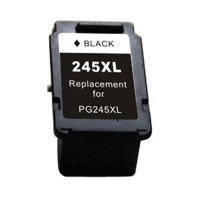 Remanufactured for Canon PG-245XL Black Ink Cartridge (8278B001) – High-Yield
$21.95
$37.99View cartridge → -
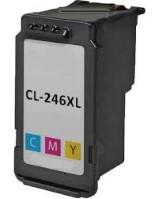 Remanufactured for Canon CL-246XL Tri-Color Ink Cartridge (8280B001) – High-Yield
$24.95
$39.95View cartridge → -
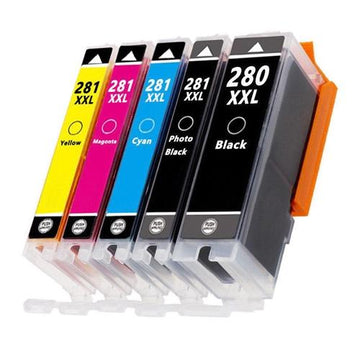 Remanufactured for Canon PGI-280XXL / CLI-281XXL Ink Cartridges (1967C001/1983C001/1980C001/1981C001/1982C001) – PGBK/BK/C/M/Y 5-Pack
$59.95
$97.95View cartridge → -
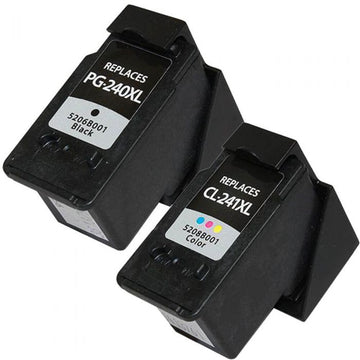 Remanufactured for Canon PG-240XL & CL-241XL Ink Cartridges – Black & Color 2-Pack (5206B001 / 5208B001)
$44.95
$81.98View cartridge →
More Canon printer help
All printer help →- Printer Blinking Light? What Every Flashing Light Means (HP, Canon, Epson, Brother)
- How to Make Copies on a Printer (HP, Canon, Epson & Brother): Step by Step
- Best Compatible Ink for Canon PG-245 & CL-246 (2026): Remanufactured vs Genuine
- How to Connect a Canon Printer to Wi-Fi (and Fix It When It Won't Connect)
- How to Replace the Toner in a Canon imageCLASS Printer (Step by Step)
- Canon 137 Toner: Which imageCLASS Printers Use It and How the Models Differ