
Quick answer: An Epson L120 resetter is software that clears the printer's waste ink pad counter once the L120 decides its ink pads are full and refuses to print. The L120 has only a Power light and an Error light, so confirm the cause on your computer before you do anything. Then have the counter reset by Epson service or with a licensed reset key, and replace or drain the pads. Avoid cracked "free" downloads.
Castle Ink
Fix the error, then stop overpaying: Epson ink from $5.95
Remanufactured Epson ink cartridges for up to 70% less than Epson charges. Same-day shipping when you order by 4 PM ET, 1-year 100% satisfaction guarantee.
Compare genuine vs remanufactured Epson ink prices →
Shop all Epson ink →✓ Ships same day by 4 PM ET✓ Free US shipping over $50✓ 1-year guarantee
Key Takeaways
- The L120 has two lights and two buttons: Power and Error lights, Power and Cancel buttons. There are no separate Ink and Paper lights like on the L3110 or L3210.
- Most flashing-light problems on an L120 are paper jams or an empty paper feed, which the Cancel button clears. Rule those out first.
- The reliable sign of an ink pad error is the message in Epson's printer software on your computer saying the ink pads are at the end of their service life.
- A resetter only zeroes a counter. The pads stay full, and ink can leak if you keep printing.
- Epson's international L120 guide says the warranty does not cover the cost of pad replacement. The L120 is an older model, so most are out of warranty anyway.
- The L120 uses Epson 664 ink (T6641 to T6644).
We also have ink pad guides for the Epson L3110, L3210 and L3250, and a general guide to Epson's "Service Required" message. This page is about the L120, a print-only ink tank printer with a much simpler control panel.
What Is an Epson L120 Resetter?
It's a program that resets the L120's internal waste ink counter. The name usually refers to the Epson Adjustment Program, a tool Epson writes for its service technicians and doesn't release publicly. Copies on download sites are leaked or cracked. Paid reset-key utilities from third parties are different: they're sold openly, though Epson doesn't make or endorse them.
Why Does the L120 Stop Printing?
Epson's L120 guide explains that in some print cycles a small amount of surplus ink is collected in the ink pad, and that the printer is designed to stop printing when the pad reaches its limit so ink can't leak. Head cleanings and the first ink charge add the most. The printer doesn't measure the pad. It counts the ink it has sent there and stops at a set number.
Because the L120 has been on sale for many years and is often used for heavy printing in shops and schools, a lot of units have reached that number.
How Do I Know It's the Ink Pad and Not a Paper Jam?
You can't tell from the lights alone, so check both the lights and your computer. Epson's Latin American L120 guide lists these light patterns, and none of them is an ink pad warning:
| Lights | What it means | What to do |
|---|---|---|
| Power flashing | The printer is busy. After filling ink it flashes for about 20 minutes. | Wait. Don't turn it off. |
| Power flashing, Error flashing | Paper may be jammed | Remove the paper and press Cancel. If it continues, turn the printer off and check inside. |
| Power flashing, Error on | No paper, or several sheets fed at once | Load paper and press Cancel |
| Power on, Error on | Initial ink charging may not be complete | Turn off and fill the tanks as shown on the Start Here sheet |
| Power off, Error on | A firmware update failed | Connect by USB and run the update again |
Work through it in this order:
- Clear paper problems. Remove any jammed sheet, load fresh paper and press Cancel. Our paper jam guide has more.
- Power cycle. Turn the printer off with the Power button, wait a minute and turn it on.
- Read the computer message. Send a print job from a computer with the Epson L120 driver installed. If the pads are the problem, the Epson status window says so in words, typically that the printer's ink pads are at the end of their service life.
Only if step 3 names the ink pads is a counter reset relevant. Epson's international edition of the L120 guide covers the ink pad condition in its error indicator section, so if you have that edition, compare your lights with it too.
Does the Epson L120 Have a Maintenance Box?
No. Waste ink goes to pads inside the printer, and Epson's guide says they're replaced by Epson or an authorized service provider. Printers with a removable box are listed in our Epson maintenance box guide.
How Do I Reset the Epson L120 Ink Pad Counter Safely?
Option 1: An Epson authorized service center
The service center replaces the pads and resets the counter with Epson's own software. Epson's international L120 guide says the warranty doesn't cover the cost, so ask for a quote first. On an older L120, compare that quote with the price of a new printer before you agree.
Option 2: Epson's one-time reset utility (not for the L120)
Epson America's free Maintenance Reset Utility is a North American program for certain models. Epson doesn't offer one for the L120, and any site claiming to host an "official" L120 version is not Epson.
Option 3: A paid third-party reset key
Tools such as WIC Reset Utility reset Epson waste ink counters over USB with a one-use key, usually for under US$10. The L120 connects by USB only, so the connection side is simple. Check the tool's own supported-model list, buy from its own website, and keep your antivirus on. Remember that the key resets the counter and nothing else.
Option 4: Replace the printer
This is often the sensible answer for an L120. If the print head is also clogged or the feed rollers are worn, a pad service won't make it a good printer again. See how long printers last, best ink tank printers of 2026 and how to dispose of an old printer.
Is It Safe to Download a Free Epson L120 Resetter?
No. The L120 is one of the most searched models for free resetters, which makes it a favourite for people spreading malware.
- Malware. Microsoft's threat intelligence team reported in 2025 that cracked and pirated software is used to deliver the Lumma Stealer password-stealing malware. Instructions to disable your antivirus or to unpack a password-protected archive are warning signs.
- Shared computers. Many L120s are attached to a shop, school or office PC. An infected download there exposes everyone who uses that machine.
- Remote access. Letting a seller connect over AnyDesk to "run the reset" gives them the whole computer.
- Wrong-model damage. Adjustment programs are model-specific and write to the printer's memory. One built for the L121 or L130 is not built for the L120.
We don't link to these tools or explain how to use them. If one has already been run, scan the computer with current security software and change important passwords from a different device.
Can I Reset an L120 With the Buttons?
No. Epson documents no button sequence that clears the ink pad counter. The Cancel button cancels a print job and clears paper errors. The Power button turns the printer on and off. Nozzle checks, head cleaning and alignment run from the Maintenance tab of the Epson driver. For other resets, see how to reset an Epson printer.
What Should I Do About the Ink Pads?
- Service center pad replacement. The option Epson supports.
- DIY pad replacement or washing. Common at repair shops, but it means opening the case. Waste ink stains skin, clothes and floors.
- An external waste ink bottle. The waste tube is routed into a bottle outside the printer. It's cheap, but it's a permanent modification, and the bottle must stay upright, sit below the printer and be emptied before it overflows.
Unplug the printer first, work over newspaper, wear gloves and keep the printer level so the ink tanks don't spill.
How Do the L120 Reset Options Compare?
| Option | Cost | Resets counter | Fixes pads |
|---|---|---|---|
| Epson authorized service center | Ask for a quote; not covered by warranty per Epson's international guide | Yes | Yes |
| Epson one-time reset utility | Free, North America only | Not offered for the L120 | No |
| Paid third-party reset key | Usually under US$10 | Yes | No |
| Cracked "free" resetter | Free, plus malware risk | Sometimes | No |
How Can I Make the L120's Ink Pads Last Longer?
- Run head cleaning only when a nozzle check shows gaps, and stop after three tries.
- Print a page every week or two so the nozzles don't dry out.
- Turn the printer off with the Power button so the head parks and caps.
- Keep the ink above the lower line on the tanks. Epson warns that printing below it can damage the printer.
Frequently Asked Questions
What ink does the Epson L120 use?
Epson 664 bottles: T6641 black, T6642 cyan, T6643 magenta and T6644 yellow.
Is the Epson L120 sold in the US?
No. It's sold in Asia, Latin America and other regions. US EcoTank owners should start with our Epson "Service Required" guide.
Is an L121 resetter the same as an L120 resetter?
No. They are different models, and service software is model-specific. Using the wrong one risks writing incorrect settings to the printer.
Both lights are flashing. Is that the ink pad?
Not necessarily. Epson's guide lists Power and Error flashing together as a possible paper jam. Clear the paper path and press Cancel, then check the message on your computer.
How many times can the counter be reset?
More than once, but the pads hold a fixed amount of ink. Each reset without emptying or replacing them raises the chance of a leak.
Keep Your Printer Stocked
Castle Ink ships within the US and to Canada only, so we can't send 664 ink overseas. Buy genuine Epson bottles from an authorized local retailer and be wary of fake "original" bottles on marketplaces.
In the US or Canada with an EcoTank? We stock compatible Epson 522 ink bottles and Epson 502 ink bottles, and you can look up any model on our find ink by printer page.
Sources
- Epson: L120 User's Guide: Product Light Status
- Epson: L120 User's Guide: Control Panel Buttons and Lights
- Epson: L120 User's Guide
- Epson America: Epson Maintenance Reset Utility
- Microsoft Threat Intelligence: Lumma Stealer: delivery techniques and capabilities
Castle Ink is not affiliated with or endorsed by Epson.
Castle Ink
Save up to 70% on Epson ink
Remanufactured cartridges with a 1-year guarantee. Order by 4 PM ET and it ships the same day. Free US shipping over $50.
Best-selling Epson ink
Shop all Epson ink →-
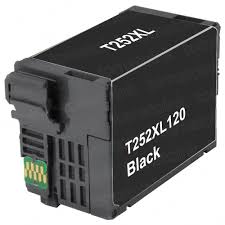 Remanufactured for Epson 252XL Black Ink Cartridges (T252XL120) – High-Yield 3-Pack
$36.55
$69.95View cartridge → -
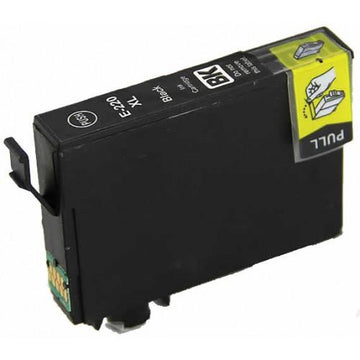 Remanufactured for Epson 220XL Black Ink Cartridge (T220XL120) – High-Yield
$8.95
$29.95View cartridge → -
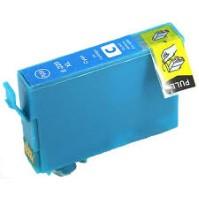 Remanufactured for Epson 220XL Cyan Ink Cartridge (T220XL220) – High-Yield
$8.95
$18.69View cartridge → -
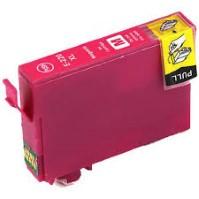 Remanufactured for Epson 220XL Magenta Ink Cartridge (T220XL320) – High-Yield
$8.95
$18.69View cartridge →
More Epson printer help
All printer help →- Epson L3250 Resetter: How to Safely Reset the Ink Pad Counter
- Epson L3110 Resetter: How to Safely Reset the Ink Pad Counter
- Epson EcoTank ET-4800 Review (2026): Honest Pros, Cons & Who It's Really For
- How to Refill an Epson EcoTank (and Fix It When It Won't Print After)
- Printer Blinking Light? What Every Flashing Light Means (HP, Canon, Epson, Brother)
- How to Make Copies on a Printer (HP, Canon, Epson & Brother): Step by Step