
Quick answer: An Epson L3250 resetter is software that clears the waste ink pad counter after the L3250 or L3251 stops printing with its Ink and Paper lights flashing together. The safe fix has two parts: have the counter reset by Epson service or with a licensed reset key, and replace or drain the full pads. Avoid cracked "free" Adjustment Program downloads.
Castle Ink
Fix the error, then stop overpaying: Epson ink from $5.95
Remanufactured Epson ink cartridges for up to 70% less than Epson charges. Same-day shipping when you order by 4 PM ET, 1-year 100% satisfaction guarantee.
Compare genuine vs remanufactured Epson ink prices →
Shop all Epson ink →✓ Ships same day by 4 PM ET✓ Free US shipping over $50✓ 1-year guarantee
Key Takeaways
- Ink and Paper lights flashing together means the main ink pad is nearing or at the end of its service life. Flashing alternately means only the borderless printing pad is full.
- Wi-Fi and Wi-Fi Direct lights flashing is a network error, not an ink pad error. No resetter fixes it. Press the Wi-Fi button to clear it.
- A resetter changes a number in the printer's memory. It doesn't empty the pads.
- The L3250 has no maintenance box. Epson's guide says the waste ink pads are not a user-replaceable part.
- Epson's Latin American L3250 guide says pad replacement is covered during the standard warranty. The L3250 is a recent model, so check your warranty before paying anyone.
- Epson's free one-time reset utility is for North American customers and doesn't cover the L3250.
The L3250 is the Wi-Fi version of the Epson L3210, and the older L3110 shows the same error with different lights. This page covers the L3250 and L3251, where the extra Wi-Fi lights cause most of the confusion.
What Is an Epson L3250 Resetter?
It's a program that resets the L3250's waste ink counter so the printer prints again. The best-known one is the Epson Adjustment Program, Epson's internal service tool. Epson doesn't publish it, so the copies you find online are leaked or cracked. Paid reset-key utilities from third parties are a separate thing: they're sold openly, but Epson doesn't make or endorse them.
Why Does the L3250 Lock Up?
Ink that doesn't reach the page has to go somewhere. Head cleanings, power cleanings, the first ink charge and borderless prints all send ink to porous pads in the base of the printer. The firmware counts what it has flushed and, at a set limit, warns you and then stops printing so the pads can't overflow.
Epson's guide notes that the Epson Status Monitor on your computer or the control panel lights tell you when the pads need replacing. If you print mostly from a phone, you may only ever see the lights, which is why reading them correctly matters on this model.
How Do I Tell an Ink Pad Error From a Wi-Fi Error?
Look at which pair of lights is flashing. The L3250 has five: Power, Wi-Fi, Wi-Fi Direct, Ink and Paper. The table follows the Product Light Status chart in Epson's L3250/L3251 User's Guide.
| Lights | What it means | What to do |
|---|---|---|
| Ink + Paper flashing together | An ink pad is nearing or at the end of its service life | Contact Epson. If your computer offers to continue, press the B&W or Color copy button. |
| Ink + Paper flashing alternately | The borderless printing ink pad is nearing or at the end of its service life | Borderless printing is off until the pad is replaced. Bordered printing still works. |
| Wi-Fi + Wi-Fi Direct flashing | Wi-Fi connection error | Press the Wi-Fi button to clear it and connect again |
| Paper on | No paper, or several sheets fed at once | Load paper and press a copy button |
| Paper flashing | Paper jam | Remove the paper and press a copy button |
| All lights flashing | Printer error, usually paper or protective material stuck inside | Open the front cover, clear it, then turn the printer off and on |
| Ink on | Initial ink charging may not be complete | Follow the Start Here sheet |
| Ink + Paper on | The printer wasn't turned off correctly | Press a copy button, run a nozzle check, and always switch off with the Power button |
| Ink, Paper, Wi-Fi and Wi-Fi Direct all on | A firmware update failed | Connect by USB and run the update again |
If the printer is offline but the Ink and Paper lights are dark, you have a network problem. Start with our guide to resetting an Epson printer, which covers network resets. For jams, see the paper jam guide.
Does the Epson L3250 Have a Maintenance Box?
No. Epson's L3250 guide says the waste ink pads are not a user-replaceable part, and that an Epson authorized service provider replaces them. If you'd rather own a printer where you can swap the waste ink container yourself, our Epson maintenance box guide lists the models that take one.
How Do I Reset the Epson L3250 Ink Pad Counter Safely?
Option 1: Check your warranty, then go to Epson
Start here. The L3250 went on sale in 2021, and many units are still inside a standard or extended warranty. Epson's guide for Latin America says that if the pads need replacing during the standard warranty, the product exchange or pad replacement is covered. Terms vary by country, so take your receipt to an authorized service center and ask. A service center replaces the pads and resets the counter with Epson's own software, which is the only route that fixes both.
Option 2: Epson's one-time reset utility (not for the L3250)
Epson America's free Maintenance Reset Utility lets some North American printers keep printing for a limited time. The L3250 isn't a North American model. Epson doesn't publish a reset utility for it, whatever a download page claims.
Option 3: A paid third-party reset key
Tools such as WIC Reset Utility reset Epson waste ink counters with a one-use key, usually for under US$10. If you choose this:
- Check the tool's own supported-model list for the L3250 before you pay.
- Connect the printer by USB cable. These tools generally don't work over Wi-Fi.
- Buy from the tool's own website, and don't disable your antivirus.
- Know that it ends any warranty claim for the pads, and the pads are still full.
Option 4: Replace the printer
For an out-of-warranty L3250 with other faults, compare the service quote with the price of a new ink tank printer. See how long printers last and best ink tank printers of 2026.
Is It Safe to Download a Free Epson L3250 Resetter?
No. A "free L3250 resetter" is an unauthorized copy of Epson's service software from an unknown source. The risks are the same for every model:
- Malware. Microsoft's threat intelligence team reported in 2025 that cracked and pirated software is a delivery route for the Lumma Stealer password-stealing malware. Being told to switch off your antivirus is a red flag.
- Remote access. "We'll reset it for you over AnyDesk" hands a stranger your files and saved passwords.
- Wrong-model damage. An Adjustment Program built for the L3210 or L3150 is not built for the L3250. These tools write to the printer's memory, and the wrong version can change the wrong settings.
- A lost warranty claim. On a printer this recent, a free repair from Epson may still be available. A cracked tool throws that away.
We don't link to these downloads or give instructions for them. If you've run one, scan the computer and change important passwords from a different device.
Can I Reset an L3250 From the Buttons or the App?
No. Neither the control panel nor the Epson Smart Panel app can clear the ink pad counter. The copy buttons acknowledge the first warning so you can keep printing for a while, and the Wi-Fi button clears network errors. Nozzle checks, head cleaning and alignment are available in the Epson printer driver and the Smart Panel app, and none of them touch the pad counter.
What Should I Do About the Ink Pads?
- Service center pad replacement. The supported fix, and possibly free under warranty.
- DIY pad replacement or washing. Possible, but it means opening the case, which voids the warranty. Waste ink stains whatever it touches.
- An external waste ink bottle. A common low-cost fix that routes the waste tube into a bottle outside the printer. It's a permanent modification. The bottle must stay upright, sit below the printer and be emptied before it overflows.
Unplug the printer before any repair, protect the table, wear gloves and keep the printer level so the ink tanks don't spill.
How Do the L3250 Reset Options Compare?
| Option | Cost | Resets counter | Fixes pads | Warranty-safe |
|---|---|---|---|---|
| Epson authorized service center | May be covered in warranty; otherwise ask for a quote | Yes | Yes | Yes |
| Epson one-time reset utility | Free, North America only | Temporarily | No | Not offered for the L3250 |
| Paid third-party reset key | Usually under US$10 | Yes | No | No |
| Cracked "free" resetter | Free, plus malware risk | Sometimes | No | No |
How Can I Make the L3250's Ink Pads Last Longer?
- Clean the print head only when a nozzle check shows gaps, and stop after three tries.
- Save Power Cleaning for emergencies.
- Print at least every week or two so the nozzles stay clear.
- Always switch off with the Power button, not at the wall.
- Go easy on borderless photos, which fill the borderless pad.
Frequently Asked Questions
Is the L3251 the same as the L3250?
Epson covers both in one user's guide, and the light patterns and reset options on this page apply to both.
Is the Epson L3250 sold in the US?
No. The closest US EcoTanks are the entry Wi-Fi models such as the ET-2400 and ET-2800, which use Epson 522 ink. US owners can use Epson America's one-time reset utility and should start with our Epson "Service Required" guide.
What ink does the Epson L3250 use?
Epson 003 bottles in Asia. Codes differ by region, so check the label inside the ink tank cover.
Can I reset the L3250 over Wi-Fi?
Reset-key tools generally need a direct USB connection. If the printer is set up on Wi-Fi only, you'll need a USB cable and the Epson driver installed on a computer.
Why is my L3250 offline with no error lights?
That's a network or driver problem, not the ink pads. Restart the router and printer, then reconnect through the Smart Panel app.
Keep Your Printer Stocked
Castle Ink ships within the US and to Canada only, so we can't supply ink for an L3250 overseas. Buy genuine Epson bottles from an authorized local retailer.
In the US or Canada with an EcoTank? We stock compatible Epson 522 ink bottles for the ET-2400 and ET-2800 family and Epson 502 ink bottles for models such as the ET-2850. Look up any model on our find ink by printer page.
Sources
- Epson: L3250/L3251 User's Guide: Product Light Status
- Epson: L3250/L3251 User's Guide
- Epson America: Epson Maintenance Reset Utility
- Epson America: Epson Ink Pads Reset Utility Terms and Conditions
- Microsoft Threat Intelligence: Lumma Stealer: delivery techniques and capabilities
Castle Ink is not affiliated with or endorsed by Epson.
Castle Ink
Save up to 70% on Epson ink
Remanufactured cartridges with a 1-year guarantee. Order by 4 PM ET and it ships the same day. Free US shipping over $50.
Best-selling Epson ink
Shop all Epson ink →-
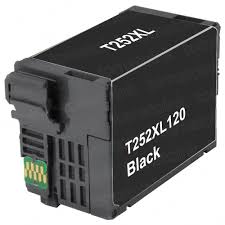 Remanufactured for Epson 252XL Black Ink Cartridges (T252XL120) – High-Yield 3-Pack
$36.55
$69.95View cartridge → -
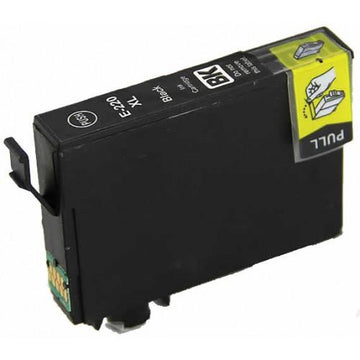 Remanufactured for Epson 220XL Black Ink Cartridge (T220XL120) – High-Yield
$8.95
$29.95View cartridge → -
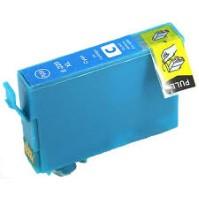 Remanufactured for Epson 220XL Cyan Ink Cartridge (T220XL220) – High-Yield
$8.95
$18.69View cartridge → -
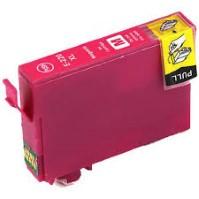 Remanufactured for Epson 220XL Magenta Ink Cartridge (T220XL320) – High-Yield
$8.95
$18.69View cartridge →
More Epson printer help
All printer help →- Epson L120 Resetter: How to Safely Reset the Ink Pad Counter
- Epson L3110 Resetter: How to Safely Reset the Ink Pad Counter
- Epson EcoTank ET-4800 Review (2026): Honest Pros, Cons & Who It's Really For
- How to Refill an Epson EcoTank (and Fix It When It Won't Print After)
- Printer Blinking Light? What Every Flashing Light Means (HP, Canon, Epson, Brother)
- How to Make Copies on a Printer (HP, Canon, Epson & Brother): Step by Step