
How to Refill an Epson EcoTank (and Fix It When It Won't Print After)
· Editorial policy Last Updated:Quick answer: To refill an Epson EcoTank, turn the printer on, open the ink tank cover, open the cap for the color you're filling, unscrew the bottle while holding it upright, and push the bottle tip straight into the matching fill port. Ink flows in on its own and stops automatically at the upper line. Don't squeeze the bottle. Remove it, close the cap and cover, then reset the ink level when the printer or software prompts you.
Updated November 6, 2026 · By Lauren Elward, Castle Ink
Castle Ink
Fix the error, then stop overpaying: Epson ink from $5.95
Remanufactured Epson ink cartridges for up to 70% less than Epson charges. Same-day shipping when you order by 4 PM ET, lifetime replacement guarantee.
Compare genuine vs remanufactured Epson ink prices →
Shop all Epson ink →✓ Ships same day by 4 PM ET✓ Free US shipping over $50✓ Lifetime guarantee
Key Takeaways
- Refill a tank when ink drops near or below the lower line. Epson warns that printing below it can damage the printer.
- Newer bottles (502, 522, 512, 552 and similar) are keyed so each fits only its own color port, and they stop automatically at the upper line.
- Don't squeeze the bottle, and don't pull it out and reinsert it once the tank is full; that's how overflows and leaks happen.
- Reset the ink level after refilling, from the printer's screen or your computer's prompt, so the low-ink estimate stays accurate.
- If it won't print after a refill, run a nozzle check, then head cleaning; if tanks ran dry, Epson recommends Power Cleaning to refill the ink tubes.
When Should I Refill My EcoTank?
Refill a tank as soon as its ink approaches the lower line, and never let it fall below. Epson's ET-2800 manual says to fill the tank to the upper line when ink is below the lower line, and warns that continued use below the lower line could damage the product.
Look at the tanks themselves, not just the on-screen estimate. EcoTanks estimate ink use rather than measuring it, so the alert can drift if tanks weren't filled to the line or levels weren't reset. A quick visual check once a week takes two seconds.
How Do I Refill an Epson EcoTank, Step by Step?
Open the tank, match the color, insert the bottle straight in and let it fill itself. Here's the full sequence, combining Epson's own refill instructions:
- Get the right bottles. The bottle number (502, 522, 542, 552, 664/774 and so on) must match your model. Check the label inside the tank cover, your manual, or Find Ink by Printer.
- Turn the printer on and close the document cover. On models with a screen, open Maintenance > Fill Ink (or similar) and read the prompts.
- Open the ink tank cover, then open the cap of the tank you're filling. Confirm the tank color matches the bottle.
- Hold the bottle upright and slowly twist off its cap. Don't shake or tilt an opened bottle, and avoid touching the tip.
- Find the upper line on the tank. That's your fill target.
- Line up the bottle tip with the fill port and push it straight in. Ink starts flowing and stops on its own when it reaches the upper line. Don't squeeze.
- If ink doesn't flow, remove the bottle and reinsert it. But once ink has reached the upper line, don't remove and reinsert it, or ink may overflow.
- Remove the bottle when it stops, and close the tank cap firmly. Don't leave the bottle sitting in the port.
- Repeat for each color that needs ink, then close the ink tank cover.
- Reset the ink level. Many models ask which colors you refilled when you close the cover. On button-only models such as the ET-2800, you press the start button and follow the prompts on your computer to reset the refilled colors. Models without a display that track levels only visually need no reset.
Leftover ink? Tighten the bottle cap and store it upright in a cool place out of direct sunlight. If a bottle has been somewhere cold, Epson says to let it reach room temperature for at least three hours before using it.
Which Ink Bottle Does My EcoTank Use?
Each EcoTank family uses one bottle number, and keyed bottles from a different number won't fit. Use this table as a starting point, then confirm your exact model.
| Bottle number | Type | Typical sizes | Castle Ink option |
|---|---|---|---|
| 502 | Keyed, auto-stop | Black larger bottle, 70 ml colors | Epson 502 4-pack |
| 522 | Keyed, auto-stop | 70 ml per color | Epson 522 4-pack |
| 542 (EcoTank Pro) | Keyed, auto-stop | 130 ml black, 70 ml colors | Epson 542 4-pack |
| 774 black + 664 colors | Older-style bottles | 140 ml black, 70 ml colors | Epson 774 + 664 4-pack |
Older 664/774-style bottles predate Epson's keyed design, so fill them slowly and watch the upper line yourself. Using an EcoTank for sublimation instead? See which EcoTanks convert to sublimation, and never mix sublimation and regular ink in the same tanks.
Why Is My EcoTank Not Printing After I Refilled It?
The most common reason is air in the ink lines after a tank ran dry or ran very low. Ink has to travel from the tank, through the tubes, to the printhead; if a tank emptied, there's air where ink should be. Other causes are a cap left open, an ink level that wasn't reset, or clogged nozzles.
- Check the basics: every tank cap closed, cover closed, and levels reset for the colors you filled.
- Print a nozzle check from the printer or the Epson utility. Gaps show which color isn't flowing.
- Run a head cleaning, then another nozzle check. Repeat a couple of times if the pattern improves.
- If the tank had run dry, use Power Cleaning. Epson recommends Power Cleaning to fill the ink tubes after tanks were expended. Each tank should be at least one-third full first, and the maintenance box needs room. Find it under Maintenance > Power Cleaning on the panel, or in the Windows Maintenance tab or Mac Printer Utility.
- Wait. Epson says to wait at least 12 hours between Power Cleanings; letting the printer sit 12 hours without printing and then running another nozzle check often clears stubborn gaps.
- Still blank? Contact Epson support, or read printer not printing after refilling or replacing ink and when a cleaning kit beats the built-in cycle.
| Cleaning type | When to use it | Ink used |
|---|---|---|
| Nozzle check | First step for any print-quality problem | Almost none |
| Head cleaning | Gaps or faint colors in the nozzle check | Small |
| Power Cleaning (ink flush) | Blank pattern, tanks ran dry, color missing after several cleanings | Significant; wait 12+ hours between runs |
What If I Put the Wrong Color Ink in My EcoTank?
Stop printing and don't run any cleaning cycles. Keyed bottles make this hard to do by accident, but it happens with older bottles or third-party ink. A wrong-color fill contaminates the tank, the tube and possibly the printhead, and printing pushes it further in. Contact Epson support or a repair shop about draining and flushing that color. In mild cases, printing many color pages after refilling with the correct ink slowly flushes the mix through, but that wastes ink and isn't guaranteed.
How Do I Avoid Spills When Refilling?
Work on a flat surface with a paper towel under the tanks, hold the bottle upright the whole time, and let it fill without squeezing. Most spills come from tilting an open bottle, squeezing to speed things up, or pulling a bottle out and reinserting it after the tank is already full. If ink gets on skin or clothes, see how to get printer ink off your hands.
Can I Use Compatible Ink in an EcoTank?
Yes. Compatible bottles cost far less than Epson's, and good ones use the same keyed tip design so they fit and auto-stop like the originals. Epson recommends genuine ink, and some newer Epson models show a message for non-Epson ink, so buy from a seller with a real guarantee. For the long-run cost math, see ink tank vs. cartridge printers and EcoTank vs. MegaTank vs. Smart Tank.
Frequently Asked Questions
Do I need to fill the EcoTank all the way to the top line?
No, the printer keeps working with a partial fill. Epson says filling to the upper line and resetting the level gives the best performance and the most accurate ink estimates.
Why won't ink come out of my EcoTank bottle?
The tip isn't fully seated, or the tank is already at the upper line. Pull the bottle out and push it straight in again; if the tank is already full, it won't flow by design.
How do I reset the ink level on an EcoTank?
On models with a screen, confirm the refilled colors when prompted after closing the cover, or use the ink level menu. On button-only models, press the start button after refilling and follow the prompts on your computer.
Can I shake an EcoTank bottle before filling?
Not once it's open. Epson warns not to tilt or shake an opened bottle because ink may leak. Pigment black bottles may be gently mixed while still sealed if their instructions say so.
How long does an EcoTank refill last?
It depends on what you print. Ink tanks hold far more ink than cartridges, so a full set of bottles typically lasts many months of home printing. Check your model's rated page yield on the bottle box.
What happens if my EcoTank runs out of ink?
Air can enter the ink tubes. Refill the tank, then run a nozzle check and head cleaning; if colors are still missing, use Power Cleaning, keeping each tank at least one-third full.
Can I store leftover EcoTank ink?
Yes. Tighten the cap and store the bottle upright, out of sunlight and extreme temperatures, and use it within the dates printed on the bottle.
Why does my EcoTank say ink is low when the tank looks full?
The printer estimates ink use, so the estimate drifts if you didn't reset the level after refilling. Reset it for that color, and keep an eye on the physical line.
Stock Up on EcoTank Ink
Castle Ink carries compatible EcoTank bottles in 502, 522, 542 and 774/664 sets, plus Canon MegaTank GI-290 and GI-21 bottles, all backed by a 1-year 100% satisfaction guarantee. Ink bottles ship from California, and orders placed by 4 PM ET Monday through Friday ship the same day, free over $50. Browse Epson ink and bottles or look up your printer on Find Ink by Printer.
Sources
- Epson Europe: How to refill ink tanks on an EcoTank printer
- Epson: L3210 series user's guide: Refilling the ink tanks
- Epson: ET-2800 User's Guide: refill and ink level reset
- Epson: Nozzle check still has gaps after refilling expended tanks
- Epson Europe: When to perform a Power Clean
- Adorama: Epson T502 keyed auto-stop bottle (70 ml)
▶ Prefer to watch? Epson 502 Ink: Refill Your EcoTank for 70% Less — the video version of this guide.
Castle Ink
Save up to 70% on Epson ink
Compatible cartridges with a lifetime replacement guarantee. Order by 4 PM ET and it ships the same day. Free US shipping over $50.
Best-selling Epson ink
Shop all Epson ink →-
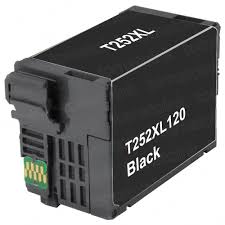 Remanufactured for Epson 252XL Black Ink Cartridges (T252XL120) – High-Yield 3-Pack
$36.55
$69.95View cartridge → -
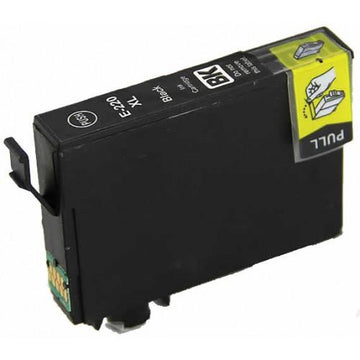 Remanufactured for Epson 220XL Black Ink Cartridge (T220XL120) – High-Yield
$8.95
$29.95View cartridge → -
 Remanufactured for Epson 220XL Cyan Ink Cartridge (T220XL220) – High-Yield
$8.95
$18.69View cartridge → -
 Remanufactured for Epson 220XL Magenta Ink Cartridge (T220XL320) – High-Yield
$8.95
$18.69View cartridge →
More Epson printer help
All printer help →- How to Change the Ink in an Epson Printer (Cartridge and EcoTank Guide)
- Epson L120 Resetter: How to Safely Reset the Ink Pad Counter
- Epson L3250 Resetter: How to Safely Reset the Ink Pad Counter
- Epson L3110 Resetter: How to Safely Reset the Ink Pad Counter
- Epson EcoTank ET-4800 Review (2026): Honest Pros, Cons & Who It's Really For
- Printer Blinking Light? What Every Flashing Light Means (HP, Canon, Epson, Brother)