
How to Change the Ink in an Epson Printer (Cartridge and EcoTank Guide)
· Editorial policy Last Updated:Last updated: November 26, 2026.
Quick answer: On a cartridge Epson (XP, WorkForce, Expression), turn the printer on, lift the scanner unit, press the tab to release the empty cartridge, drop in the new one until it clicks, close the scanner and wait for the ink to charge, about 90 seconds. On an EcoTank, you do not change a cartridge at all: you open the tank cover and pour in the matching color bottle up to the upper line, then reset the ink level on the screen. Exact steps differ a little by model, so check the number on your cartridge and the support page for your printer, linked below.
Castle Ink
Fix the error, then stop overpaying: Epson ink from $5.95
Remanufactured Epson ink cartridges for up to 70% less than Epson charges. Same-day shipping when you order by 4 PM ET, lifetime replacement guarantee.
Compare genuine vs remanufactured Epson ink prices →
Shop all Epson ink →✓ Ships same day by 4 PM ET✓ Free US shipping over $50✓ Lifetime guarantee
First: Which Kind of Epson Do You Have?
Epson sells two very different ink systems, and mixing up the instructions is the most common mistake.
| You have | Typical models | How ink works |
|---|---|---|
| Cartridge printer | Expression Home XP series, WorkForce WF series, Workforce Pro EC | Replace small cartridges (numbers like 288, 410, 202 or 220) when the screen says they are low or expended. |
| EcoTank / ET series | ET-2800, ET-2980, ET-4800, ET-8550 and similar | No cartridges. You refill built-in tanks from keyed ink bottles. |
If you can see a row of small cartridges under the scanner lid, use the first section. If you see clear ink tanks on the front or side of the printer, jump to the EcoTank section.
Before You Start
- Buy the right cartridges. The number is printed on the old cartridge and on the printer's ink menu. Not sure? Use our find ink by printer page.
- Keep the old cartridges in until you are ready. Epson recommends this so the print head nozzles do not dry out, and says to open the new package only when you are about to install it (Epson WF-2960 support).
- Do not turn the printer off during ink charging. Epson warns that doing so wastes ink.
- Have the printer powered on and idle. If you swap a cartridge mid-copy, cancel the job and check that your original is still positioned correctly.
How to Replace Epson Ink Cartridges (XP, WorkForce, Expression)
The general sequence. Your model's support page has the exact screen prompts.
- Turn the printer on and lift the scanner unit until the support clicks into place. Do not move the print head by hand, and do not touch the flat white cable inside (Epson general guide).
- Get the print head to the swap position. If a cartridge is low or expended, the head moves there by itself. On many models the screen offers a Replace now option. If no cartridge is low and you want to swap one early, some Expression Home models move the head when you hold the Stop button for about six seconds.
- Release the old cartridge. Squeeze or press the tab (many models use a blue tab) and lift the cartridge straight up. Epson's wording is blunt: once you remove a low or expended cartridge you cannot reinstall and use it, and you should not take it apart or try to refill it (Epson WF-2930 support).
- Prepare the new cartridge. Shake a new black cartridge gently four or five times before you unwrap it. Do not shake the color cartridges, and do not shake any cartridge after the package is open, or ink can leak. Peel off only the tape or cap the instructions call for. On the WF-2750, for example, that is just the yellow tape (Epson WF-2750 support).
- Insert it. Slide it into the matching slot and push down until it clicks and sits level with the others. Do not touch the ink supply port or the chip contacts.
- Replace one after another, quickly. Epson notes that swapping several cartridges slowly can use up some ink to keep the printer working properly (Epson XP-8700 support).
- Close the scanner unit (lift it slightly and lower it again if it resists) and press the button or select Completed. The printer charges the ink, which takes roughly 90 seconds. Wait until the power light stops flashing.
Prefer to follow along on the printer? Many XP models also have a How To option on the LCD that walks you through it, as Epson notes on its XP-4100 support page.
How to Refill an Epson EcoTank
Schematic only. Real tanks vary by model.
- Turn the printer on and, on models with a Fill Ink menu, choose Maintenance > Fill Ink and read the on-screen precautions (Epson ET-2980 support). Close the document cover.
- Open the ink tank cover and then the cap of the tank you are filling. Check that the tank color matches the bottle.
- Remove the bottle cap holding the bottle upright. Do not shake or squeeze it, and do not touch the bottle's top once it is open.
- Insert the bottle into the filling port. Epson's bottles are keyed for each color, so do not force one into the wrong tank (Epson ET-2400 support).
- Let it fill by itself. Ink flows in and stops automatically at the upper line. If nothing flows, lift the bottle and reinsert it once.
- Close the tank cap tightly, store any leftover ink upright, then close the cover.
- Reset the ink level for every color you refilled (Maintenance > Reset Ink Levels or Fill Ink, depending on model). Epson says the displayed level will not change, or you may get an error, if you skip this (Epson ET-8550 support).
Two EcoTank points worth knowing. First, the printer cannot measure ink directly; it estimates from usage, so Epson tells owners to check the tanks by eye and not let them fall below the lower line (Epson ET-4800 support). Second, you may keep printing if a tank is not filled all the way, but the level display is most accurate when you fill to the upper line. Wear gloves, because spilled ink stains; our guide to getting printer ink off skin and clothes helps if it happens.
Common Problems After Changing Epson Ink
The printer says the cartridge is not recognized or installed incorrectly
Lift the scanner unit and press down on the cartridge until it clicks, which is the exact fix Epson gives on its WF-2750 page. Check the cartridge number against your model and make sure no tape or cap is left on. Our guide to cartridges that are not recognized covers the rest.
The ink still shows low after a new cartridge
Let the charge cycle finish, then check the level again from the printer menu or your computer's Epson utility. If the printer is an EcoTank, you probably skipped the ink level reset.
Colors or text look faint or streaky afterward
Run one head cleaning cycle and print a nozzle check. Do not run more than three cleaning cycles in a row, since each one uses ink. Our Epson not printing color guide walks through it.
The printer says the maintenance box or ink pad is full
That is a separate part from ink. See our Epson maintenance box guide for part numbers and replacement.
Can You Use Compatible Cartridges in an Epson?
Often yes, but be aware of the risk. Epson states that its printers are designed to work only with genuine Epson cartridges, and that Epson firmware updates can stop non-Epson or altered cartridges that worked before (Epson WF-2950 support). If you use compatible cartridges, turn off automatic firmware updates after you have a working setup. Our Epson compatible vs OEM comparison lays out the savings and the trade-offs, and you can browse compatible Epson ink cartridges by model.
FAQ
How do I know which Epson cartridge number I need?
Read it off the old cartridge or look in the printer's ink or maintenance menu. You can also search by model on our find ink by printer page.
Can I reinstall an Epson cartridge I removed before it was empty?
Epson says a cartridge removed while low or expended cannot be reinstalled and used. If you pull a partly used one, the printer may not accept it again.
How long does Epson ink charging take?
About 90 seconds on many models. Do not switch the printer off while the power light is flashing.
Do I replace all cartridges at once?
No. Replace only the ones the printer flags. Keep working through the swap promptly, one after another, as Epson advises.
Can I refill Epson cartridges myself?
Epson instructs users not to refill or take apart used cartridges. Refillable tank printers such as EcoTank are designed for refilling; cartridge models are not.
Do I need to shake Epson cartridges?
Only the black one on models that call for it, gently four or five times and before unwrapping it. Do not shake color cartridges.
Why does my EcoTank still say low after I refilled it?
The ink level was not reset. Run the reset for each color you filled.
How much does Epson ink cost compared with compatible ink?
Compatible cartridges usually run a fraction of the genuine price. Compare current prices on the Epson ink collection and read the comparison before you buy.
Sources
Castle Ink
Save up to 70% on Epson ink
Compatible cartridges with a lifetime replacement guarantee. Order by 4 PM ET and it ships the same day. Free US shipping over $50.
Best-selling Epson ink
Shop all Epson ink →-
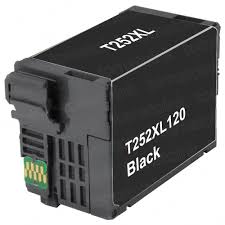 Remanufactured for Epson 252XL Black Ink Cartridges (T252XL120) – High-Yield 3-Pack
$36.55
$69.95View cartridge → -
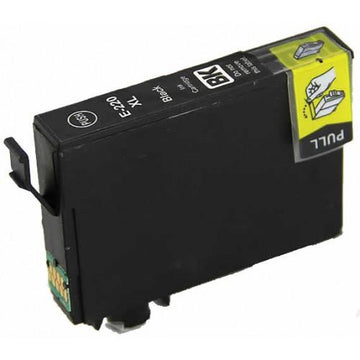 Remanufactured for Epson 220XL Black Ink Cartridge (T220XL120) – High-Yield
$8.95
$29.95View cartridge → -
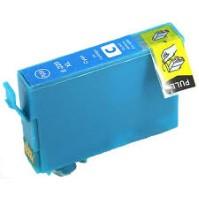 Remanufactured for Epson 220XL Cyan Ink Cartridge (T220XL220) – High-Yield
$8.95
$18.69View cartridge → -
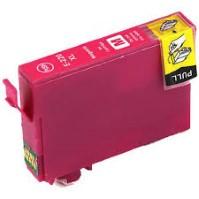 Remanufactured for Epson 220XL Magenta Ink Cartridge (T220XL320) – High-Yield
$8.95
$18.69View cartridge →
More Epson printer help
All printer help →- Epson L120 Resetter: How to Safely Reset the Ink Pad Counter
- Epson L3250 Resetter: How to Safely Reset the Ink Pad Counter
- Epson L3110 Resetter: How to Safely Reset the Ink Pad Counter
- Epson EcoTank ET-4800 Review (2026): Honest Pros, Cons & Who It's Really For
- How to Refill an Epson EcoTank (and Fix It When It Won't Print After)
- Printer Blinking Light? What Every Flashing Light Means (HP, Canon, Epson, Brother)