
Quick answer: HP Cartridge Protection is a setting that permanently ties each cartridge you install to that one printer. You turn it off in the printer's built-in web page (the Embedded Web Server), in the HP app, or on some models from the control panel, under Supply Settings. Turning it off only affects cartridges you install afterwards. A cartridge that has already been protected stays locked to its original printer, and nothing reverses that.
Castle Ink
Fix the error, then stop overpaying: HP ink from $6.74
Remanufactured HP ink cartridges for up to 70% less than HP charges. Same-day shipping when you order by 4 PM ET, 1-year 100% satisfaction guarantee.
Compare genuine vs remanufactured HP ink prices →
Shop all HP ink →✓ Ships same day by 4 PM ET✓ Free US shipping over $50✓ 1-year guarantee
Key Takeaways
- Cartridge Protection is an anti-theft feature. It marks a cartridge so it can't be used in any other printer.
- Turn it off before you install a new cartridge. Switching it off later doesn't unprotect the cartridges already inside.
- The lock lives on the cartridge, not the printer. A protected cartridge is rejected by other printers whatever their own setting is.
- It is not the setting that blocks third-party chips. That's Dynamic Security on inkjets and Cartridge Policy on LaserJets.
- On HP LaserJet Pro printers, HP says both Cartridge Policy and Cartridge Protection are off by default. On many HP inkjets, owners find protection already switched on.
- If you plan to move cartridges between two printers, sell a printer with its ink, or recycle empties for remanufacturing, leave it off.
What Is HP Cartridge Protection?
It's a supply setting on HP inkjet and laser printers. When it's on, every cartridge installed in the printer is flagged as belonging to that printer. HP's documentation describes it as permanently associating cartridges with a specific printer, or a fleet of printers, so they can't be used elsewhere. The purpose is to stop cartridges being taken from an office printer and used at home.
The flag is written to the chip on the cartridge the moment it's installed. From then on, any other HP printer that reads the chip refuses it. That holds even if the second printer has Cartridge Protection turned off, because the setting controls whether a printer marks cartridges, not whether it checks for the mark.
Offices with shared printers have a real use for it. In a home, it mostly causes trouble: the spare printer in the garage can't borrow a cartridge, and a half-full cartridge can't follow you to a replacement printer of the same series.
Cartridge Protection vs. Cartridge Policy vs. Dynamic Security
These three get mixed up constantly, and they do different jobs. Turning off the wrong one won't fix your problem.
| Feature | Found on | What it does | Can you turn it off? |
|---|---|---|---|
| Cartridge Protection | HP inkjets and LaserJets | Locks installed cartridges to this printer or fleet so they can't be used in another | Yes, for future cartridges only |
| Cartridge Policy | HP LaserJets | When on, the printer accepts only genuine HP toner ("Authorized HP") | Yes |
| Dynamic Security | Many HP inkjets and LaserJets | Firmware that blocks cartridges with non-HP chips or circuitry | Not from a settings menu on most current models |
If your printer shows a message about a non-HP chip, Cartridge Protection is not the cause. Start with our guides to the "Non-HP Chip Detected" message and HP not recognizing an ink cartridge, and see how to stop HP firmware updates from blocking your ink.
How Do I Know Cartridge Protection Is the Problem?
The wording of the error tells you. Protection errors use the word protected:
- "Protected cartridge installed" or "HP protected cartridges installed" on inkjets.
- 10.0X.57 Protected Cartridge on LaserJet Enterprise models. HP's guide says the cartridge can only be used in the printer or fleet that first protected it, and must be replaced to continue.
- On small LaserJets without a screen, the Attention and toner lights blink and the printer's web page shows a protected-cartridge message.
Compare that with 10.30.0X Unauthorized Cartridge, which is a Cartridge Policy message, and with "non-HP chip detected" or "cartridge problem", which point to Dynamic Security or a bad contact.
How to Turn Off Cartridge Protection on an HP Inkjet
The setting sits in the printer's Embedded Web Server (EWS), a small settings website the printer hosts on your network. HP's menus differ by model and firmware, so use whichever path matches what you see.
Step 1: Open the printer's web page
- Make sure the printer and your computer or phone are on the same Wi-Fi network.
- Find the printer's IP address. On a touchscreen model, tap the Wireless or Ethernet icon. On other models, print a network configuration page from the Setup menu.
- Type the IP address (for example, 192.168.1.25) into a web browser's address bar and press Enter.
- If the browser warns about the connection, choose to continue. If the page asks for a PIN, it's printed on a label inside the cartridge access area or on the back of the printer.
You can also get there from the HP app: open the app, select your printer, and choose Printer Settings, then Advanced Settings or View all.
Step 2: Find the setting
- OfficeJet Pro 8000 and 9000 series and similar: open the Settings tab, look under Supplies or Supply Settings, and find HP Cartridge Protection.
- Older ENVY, DeskJet and OfficeJet models: open Tools, then Product Information, then Supply Settings.
Step 3: Switch it off
Set Cartridge Protection to Off (some screens say "Disable") and click Apply. Reload the page to confirm it stayed off.
If the option is missing or greyed out: not every model and firmware version shows the switch in the same place. Update the HP app, open the EWS directly by IP address, and if it still isn't there, ask HP Support whether your model has the setting.
How to Turn Off Cartridge Protection on an HP LaserJet
HP documents two routes for LaserJets: the control panel and the EWS. An administrator password may be required on office printers.
From the control panel
- LaserJet Pro touchscreens: open Setup, then Supply Settings, then Cartridge Protection, and choose Off. On the newest panels, swipe down from the top of the Home screen to reach Setup.
- LaserJet Pro with a 2-line display: press OK, open System Setup, then Supply Settings, then Cartridge Protection.
- LaserJet Enterprise: open Settings, then Manage Supplies, then Cartridge Protection.
From the EWS
- Open the printer's IP address in a browser.
- On LaserJet Pro models, click the Settings or System tab, then Supply Settings (sometimes under Supplies). On Enterprise models, choose Manage Supplies, then Supply Settings.
- In the Cartridge Protection drop-down, select Off and click Apply.
While you're there, look at Cartridge Policy in the same menu. If it's set to Authorized HP, the printer will reject compatible toner. Set it to Off if you use compatible cartridges. IT teams managing fleets can change both in HP Web Jetadmin under Config, Supplies.
Can I Unlock a Cartridge That's Already Protected?
No. HP's guides state that turning the feature off doesn't remove protection from cartridges that are currently installed, and HP's support staff say a cartridge marked as protected can't be reset. There's no menu, code or button sequence that clears it. See is there a secret reset button on HP ink cartridges for what the "reset" tricks online really do.
Your options for a protected cartridge:
- Use it up in its original printer. It works normally there.
- If the original printer has failed, the cartridge can't move to another one. Recycle it and start the new printer with protection turned off.
- If you bought it new and it says protected, it was installed somewhere before it reached you. Return it to the seller.
Should I Leave Cartridge Protection On or Off?
| Your situation | Recommended setting | Why |
|---|---|---|
| Home printer | Off | No theft risk, and cartridges stay usable if the printer dies |
| Two or more HP printers that take the same cartridge | Off | Lets you move cartridges between them |
| You return empties for recycling or remanufacturing | Off | An unprotected empty is easier to reuse |
| Shared office printer where supplies go missing | On | This is what the feature was built for |
| Managed fleet | Ask your IT team | Fleet protection lets cartridges move between company printers only |
For most people at home, off is the better choice. Turn it off as soon as you set up a new HP printer, before the second set of cartridges goes in.
Does Cartridge Protection Affect Remanufactured or Compatible Cartridges?
Indirectly. Turning protection off does not make a printer accept third-party cartridges, and turning it on does not block them. That's the job of Dynamic Security and Cartridge Policy.
Where it matters is reuse. A remanufactured inkjet cartridge starts life as an original HP cartridge. If the first owner's printer protected it, the chip carries that flag, and the remanufacturer has to deal with the chip before the cartridge can work in anyone else's printer. Properly remanufactured cartridges are tested for this. If one ever shows a "protected cartridge" message in your printer, it's a defective unit, and you should send it back.
Every cartridge we sell is covered by our 1-year guarantee. If one doesn't work in your printer, we replace or refund it and pay the return shipping.
Frequently Asked Questions
Will turning off Cartridge Protection damage my printer or void the warranty?
No. It's a standard setting that HP documents and expects owners to change.
Does a factory reset turn Cartridge Protection off?
A reset won't unprotect cartridges. It can change printer settings, so check Cartridge Protection again after any reset or major firmware update.
Does turning it off let me use non-HP ink?
No. Whether a non-HP cartridge works depends on the printer's firmware and the cartridge's chip. See printer firmware updates and third-party ink and printers that don't lock you into OEM ink.
I can't open the printer's web page. What now?
Confirm the printer shows a valid IP address and that your device is on the same network, not a guest network. Type the address with no "www". If it still won't load, use the HP app's printer settings, which open the same page.
Can I move a cartridge to an identical printer model?
Only if it was never protected. Protection is tied to the individual printer, or to a company fleet, not to the model.
Is Cartridge Protection the same as HP+?
No. HP+ is an account-based program with its own ink requirements. If you're shopping for a printer, read what to check before you buy an HP printer.
Need HP Ink or Toner?
Look up your model on our find ink by printer page or browse HP ink cartridges. Orders placed by 4 PM ET ship the same day, US shipping is free on orders of $50 or more, and everything carries the 1-year guarantee.
Sources
- HP Support: HP LaserJet Pro: Configure the HP toner-cartridge-protection supply settings
- HP Support Community: Turn off cartridge protection on an HP ENVY 5530
- HP Support Community: Cartridge Protection in the HP app and EWS
- HP Support Community: Disable HP Cartridge Protection on the OfficeJet 8010 series
Castle Ink is not affiliated with or endorsed by HP.
Castle Ink
Save up to 70% on HP ink
Remanufactured cartridges with a 1-year guarantee. Order by 4 PM ET and it ships the same day. Free US shipping over $50.
Best-selling HP ink
Shop all HP ink →-
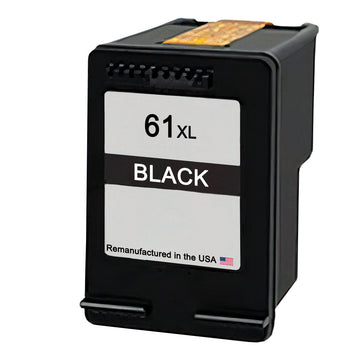 Remanufactured for HP 61XL Black Ink Cartridge (CH563WN) – High-Yield
$23.95
$39.99View cartridge → -
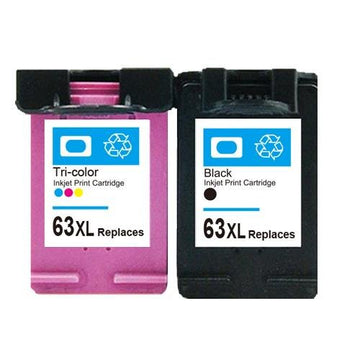 Remanufactured for HP 63XL Black & Tri-Color Ink Cartridges (F6U64AN/F6U63AN) – High-Yield 2-Pack
$45.95
$69.95View cartridge → -
 Remanufactured for HP 951XL Cyan Ink Cartridge (CN046AN) – High-Yield
$15.95
View cartridge →
-
 Remanufactured for HP 951XL Yellow Ink Cartridge (CN048AN) – High-Yield
$15.95
View cartridge →
More HP printer help
All printer help →- HP 923 Ink: Remanufactured vs Original HP, Priced per Page
- Best Compatible Ink for HP 950XL and 951XL: Prices Compared
- HP 68 Ink Cartridges Explained: Which Printers Use HP 68, 68 vs 68e vs 67, and What Each Page Costs (2026)
- HP "Printhead Problem" Error: What It Means and How to Fix It
- "Non-HP Chip Detected" on Your HP Printer: What It Means and What to Do
- Best Compatible Ink for HP 902 & 902XL (2026): Remanufactured vs Genuine Compared