
HP Printer Says 'Ink System Failure' or 'Cartridge Missing or Damaged'? How to Fix It
· Editorial policy Last Updated:Last updated: November 26, 2026.
Quick answer: HP's 'There is a problem with the printer or ink system' (also called Ink System Failure, System Supply Problem or Supply System Problem) and 'cartridge missing or damaged' errors are fixed in the same order: power-cycle the printer fully, remove every cartridge and check for tape, leaks or damage, wipe the copper contacts with a lint-free cloth, reseat each cartridge until it clicks, then swap in a known-good cartridge to find the culprit. If the error survives a new cartridge, suspect the printhead, a firmware problem, or the printer itself.
Castle Ink
Fix the error, then stop overpaying: HP ink from $6.74
Remanufactured HP ink cartridges for up to 70% less than HP charges. Same-day shipping when you order by 4 PM ET, lifetime replacement guarantee.
Compare genuine vs remanufactured HP ink prices →
Shop all HP ink →✓ Ships same day by 4 PM ET✓ Free US shipping over $50✓ Lifetime guarantee
The Messages, and What They Usually Mean
| What the printer says | Most likely cause | Start with |
|---|---|---|
| There is a problem with the printer or ink system / Ink System Failure | A cartridge the printer cannot read, a failed printhead, or a firmware glitch | Step 1, then 3 |
| Supply System Problem / System Supply Problem | Same family, often one specific cartridge | Step 4 |
| Cartridge missing, damaged, or not detected | Dirty contacts, cartridge not seated, protective tape or clip left on | Step 2, then 3 |
| Incompatible or Incorrect Ink Cartridge | Wrong number, or a cartridge from another region or program | Check the number; see below |
| Used or Counterfeit Cartridge Detected | Printer rejects a refilled, remanufactured or non-HP cartridge | Bypass guide |
HP itself lists these under its cartridge-error help: Ink Cartridge Problem, Ink Cartridge Failure, Incompatible Ink Cartridges, Incorrect Ink Cartridge, Low on Ink, Ink Alert, and Used or Counterfeit Ink Cartridge Detected (HP Support). HP also groups its Ink System Failure fixes by cartridge family, covering numbers from 564, 902 and 910 through the 932 to 969 range (HP Support: Ink System Failure).
The Fix Order That Works
Work left to right. Most errors clear by step 4.
Step 1: Do a full power reset
HP support staff recommend a power reset as the first move for this error. Turn the printer off with its own button, unplug the power cord from the printer and from the wall, wait at least a minute, plug it straight into a wall socket (not a surge strip) and turn it on. If your printer has a removable battery, take it out too; HP says so for Instant Ink printers in its cartridge-error steps (HP Support: Instant Ink cartridge errors). This clears soft errors held in the printer's memory.
Step 2: Remove every cartridge and inspect
Open the cartridge door, let the carriage move, and take out all the cartridges, not just the one named. Check each for:
- Protective tape or a plastic clip still on the nozzles or contacts. Peel off every piece.
- Leaks or ink on the contacts. HP's guidance is to replace any cartridge that leaks and not to use it.
- Damage to the copper-colored contact strip. HP says that if it is missing or damaged, the cartridge must be replaced (HP Support).
- A cartridge from the wrong family. Match the number to your printer using our find ink by printer page.
Step 3: Clean the contacts
Wipe the copper-colored contacts on each cartridge with a clean, dry, lint-free cloth, then do the same to the matching contacts inside the carriage. HP's own instruction for this error is to wipe the cartridge contact with a lint-free cloth (HP Support). Do not use paper towel, which sheds fibers, and do not get the contacts wet. If you must use liquid, dampen the cloth with distilled water and let everything dry fully.
Step 4: Reseat each cartridge
Slide each cartridge into its color-coded slot and press until it clicks. Close the door and let the printer run its start-up routine. Many cases of 'cartridge missing' end right here.
Step 5: Swap in a known-good cartridge to find the culprit
Fit a cartridge you know works, even a half-used one from a printer of the same family. If the error follows the suspect cartridge, replace that one. If you only have new ones, try them one at a time. A brand-new cartridge can be defective, and a cartridge that sat for years can dry out or lose contact.
On printers where the cartridges are four separate ink cartridges feeding a printhead built into the printer (OfficeJet Pro, many Photosmart models), a bad cartridge is still the most common cause, but a failed printhead produces a nearly identical message. HP community staff have answered the 'missing or failed printhead' variant of this error on OfficeJet 7610 and similar models, as listed on the HP Support Community.
Step 6: Firmware, then HP
Update the printer firmware through HP Smart, the printer's embedded web page or HP's driver site, and print the diagnostic report if the printer offers one. If the printer still shows the failure after the power reset, clean contacts and a known-good cartridge, it is time to contact HP. Their Print and Scan Doctor and printer diagnostic tools are the free next step, and warranty or Instant Ink may cover a replacement.
If It Is an Instant Ink Printer
Instant Ink cartridges come with their own error steps from HP: reset the printer, reseat the cartridges, clean them, and if you have another Instant Ink cartridge on hand install it, otherwise contact HP Instant Ink support (HP Support). If you are weighing the program, our Instant Ink vs compatible cartridge math and how to cancel guide explain the trade-offs.
If You Use Compatible or Remanufactured Cartridges
These errors are sometimes your printer rejecting a non-HP chip rather than a hardware fault, and it often begins after a firmware update. Run the same steps, but also read how to stop HP firmware updates blocking your ink and check our HP firmware tracker for known blocks on your model. Do not assume the cartridge is bad before you have ruled out contacts and seating. If a cartridge from us is rejected, contact us and we will make it right.
Other Fixes People Try
- Reset to factory settings. A last software step before service. Do it from the printer's settings menu.
- Install the HP Smart app and check the printer status page for the exact error code.
- Try a different outlet. Unstable power can cause intermittent supply errors.
- Let it warm up. A printer stored cold can throw errors until it reaches room temperature.
When to Replace the Printer
If the error returns after a new cartridge and a power reset, the printhead or main board is likely failing. On a budget DeskJet or ENVY, the repair usually costs more than a replacement. See our roundup of home printers and the best printers that do not lock you into OEM ink before you buy.
FAQ
What does 'There is a problem with the printer or ink system' mean?
It means the printer cannot confirm the cartridges or the printhead are working. The cause is usually a cartridge, its contacts, or the printhead.
Is Ink System Failure the same as Supply System Problem?
HP groups them together as the same type of error. Same fixes.
Will a new cartridge fix a supply system problem?
Sometimes. If the error persists with a new cartridge, the contacts, the printhead or firmware are the next suspects.
Why does my HP say cartridge missing when it is installed?
Dirty contacts or incomplete seating. Clean the contacts and press until it clicks.
Can a firmware update cause this error?
It can, particularly with non-HP cartridges. See the firmware guide linked above.
How do I clean HP cartridge contacts?
With a clean, dry, lint-free cloth. Avoid paper towels and water on the contacts.
Does Instant Ink change the fix?
The steps are similar, but HP will replace a faulty Instant Ink cartridge if you contact their support.
Should I buy a new printer?
Only after a power reset, clean contacts and a known-good cartridge all fail.
Sources
Castle Ink
Save up to 70% on HP ink
Remanufactured cartridges with a lifetime replacement guarantee. Order by 4 PM ET and it ships the same day. Free US shipping over $50.
Best-selling HP ink
Shop all HP ink →-
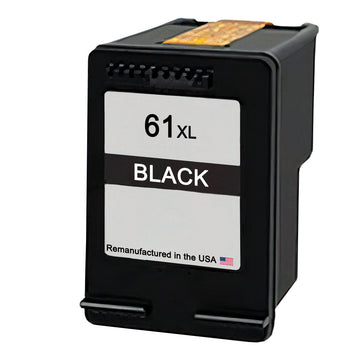 Remanufactured for HP 61XL Black Ink Cartridge (CH563WN) – High-Yield
$23.95
$39.99View cartridge → -
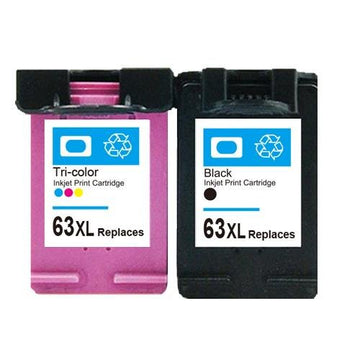 Remanufactured for HP 63XL Black & Tri-Color Ink Cartridges (F6U64AN/F6U63AN) – High-Yield 2-Pack
$45.95
$69.95View cartridge → -
 Remanufactured for HP 951XL Cyan Ink Cartridge (CN046AN) – High-Yield, Original HP Chip (OEM)
$15.95
View cartridge →
-
 Remanufactured for HP 951XL Yellow Ink Cartridge (CN048AN) – High-Yield, Original HP Chip (OEM)
$15.95
View cartridge →
More HP printer help
All printer help →- How to Disable HP Cartridge Protection (and What It Can't Undo)
- HP 923 Ink: Remanufactured vs Original HP, Priced per Page
- Best Compatible Ink for HP 950XL and 951XL: Prices Compared
- HP 68 Ink Cartridges Explained: Which Printers Use HP 68, 68 vs 68e vs 67, and What Each Page Costs (2026)
- HP "Printhead Problem" Error: What It Means and How to Fix It
- "Non-HP Chip Detected" on Your HP Printer: What It Means and What to Do