

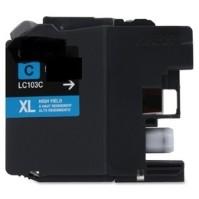
Product Specifications
| SKU | LC103C |
|---|---|
| OEM Part Number | LC103C |
| Cartridge Type | Ink Cartridge |
| Compatible Brand | Brother |
| Color | Cyan |
| Condition | Remanufactured |
| Warranty | 100% Satisfaction Guarantee |
Product Description
Brother LC103 Cyan (LC103C) at a glance: a high-yield cyan ink cartridge rated at about 600 pages. Remanufactured: a genuine Brother LC103 cartridge, cleaned, refilled and print-tested. Fits the Brother DCP-J152W/J4110DW, MFC-J245–J875DW, MFC-J4310DW–J4710DW and MFC-J6520DW–J6920DW. Backed by a 1-year 100% satisfaction guarantee; orders by 4 PM ET (Mon–Fri) ship the same day from California.
Key Facts
| Condition | Remanufactured (genuine OEM shell, cleaned, refilled, print-tested) |
| Replaces OEM part | LC103C (Brother LC103 Cyan) |
| Page yield | About 600 pages (manufacturer rating for the original) |
| Cost per page | about 1.5¢ per page at our $8.95 price |
| Guarantee | 1-year 100% satisfaction guarantee: replacement or refund |
| Shipping | Same business day when ordered by 4 PM ET (Mon–Fri); free shipping on orders over $50 |
What's in the Box
- 1 × Brother LC103 Cyan (LC103C) remanufactured ink cartridge — about 600 pages
Page yields are the manufacturer's rating for the matching original cartridge, measured at roughly 5% page coverage. Your results will vary with what you print.
Compatible Printers (18 models)
- Brother DCP-J152W / DCP-J4110DW
- Brother MFC-J245 / MFC-J285DW / MFC-J450DW / MFC-J470DW / MFC-J475DW
- Brother MFC-J650DW / MFC-J870DW / MFC-J875DW
- Brother MFC-J4310DW / MFC-J4410DW / MFC-J4510DW / MFC-J4610DW / MFC-J4710DW
- Brother MFC-J6520DW / MFC-J6720DW / MFC-J6920DW
Don't mix these up: LC103 is the high-yield version of LC101 and fits the same slots; the J4000 and J6000 models also take super-high-yield LC105 colors and LC107 black. It is not the same as LC203 or LC61.
Not sure? Look up your exact model on our Find Ink by Printer page, or contact us and we'll confirm the right cartridge for you.
Printer guides: Brother Mfc J470DW ink guide
Part Numbers & Also Known As
This cartridge replaces or is also searched for as: LC103C, Brother LC103C, Brother LC103 cyan, BrotherLC103 cyan, LC103 cyan ink, LC103, LC-103, LC103 cyan, LC101, MFC-J470DW ink, MFC-J870DW ink
Chips, Printer Messages & Installation
Installing: with the printer on, open the ink cartridge cover on the front of the printer. Press the release lever (or push the cartridge) to unlock the empty cartridge and pull it out. Remove the orange protective cap from the new cartridge without touching the chip, insert it in the direction of the arrow on the label and push until it locks. Close the cover; the printer resets the ink level for that color.
"No Ink Cartridge" or "Cannot Detect": take the cartridge out, check the orange cap and any tape are fully removed, and push it back in firmly until it clicks. Restart the printer if the message stays.
Streaks or faint colors: run Cleaning from the Ink or Maintenance menu, then print a nozzle check. Brother printheads are built into the printer, so let it rest between cleanings rather than running several back to back.
Still stuck? See our guide to fixing a cartridge that isn't recognized or contact us and we'll make it right.
Remanufactured vs. Compatible vs. Original
Original (OEM) cartridges are new from the printer brand and cost the most. Remanufactured cartridges, like this one, start as genuine original shells (including the original chip) that are cleaned, refilled with high-quality ink and print-tested, so they fit and communicate like the original at a fraction of the price. Compatible cartridges are built new by a third party with their own chip. Castle Ink sells remanufactured inkjet cartridges and compatible (newly manufactured) toner.
Other Options for the Same Printers
- Brother LC101XL Black and 3 Color Combo 4-Pack
- Brother LC101XLBK Black Ink Cartridge
- Brother LC101XLC Cyan Ink Cartridge
- Brother LC101XLM Magenta Ink Cartridge
- Brother LC101XLY Yellow Ink Cartridge
- Brother LC103BK Black Ink Cartridge
Frequently Asked Questions
How many pages does the Brother LC103 cyan print?
About 600 pages, based on Brother's rating for the original LC103C at roughly 5% coverage.
Will this void my printer warranty?
No. Under the U.S. Magnuson-Moss Warranty Act, a manufacturer can't void your printer warranty just because you used a third-party or remanufactured supply. If a non-original supply directly caused damage, that specific repair might not be covered.
How long can I store it?
Store it sealed, at room temperature and out of direct sunlight, and use it within about 24 months for best results. Once opened, install it promptly.
When will my order ship?
Orders placed by 4 PM ET, Monday through Friday, ship the same business day from California, by USPS (2–5 business days). Expedited 1–2 day delivery is available at checkout, and shipping is free on orders over $50.
- See all All Ink & Toner
- See all Brother Ink Cartridges
- See all Brother LC101 & LC103 Ink Cartridges – LC101, LC103 & LC103XL
Guides for this cartridge
- Skip, pause or cancel anytime from your account or any order email
- 10% off every delivery, locked in for as long as you subscribe
- Same remanufactured quality, 1-year guarantee on every cartridge