

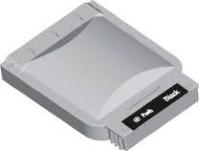
Product Specifications
| SKU | LC25BK |
|---|---|
| OEM Part Number | LC25BK |
| Cartridge Type | Ink Cartridge |
| Compatible Brand | Brother |
| Color | Black |
| Condition | Remanufactured |
| Warranty | 100% Satisfaction Guarantee |
Product Description
Brother LC25BK Black at a glance: a black ink cartridge. Remanufactured: an original Brother cartridge that has been cleaned, refilled and quality-tested. Fits the MFC-4420C and MFC-4820C. Backed by our 1-year 100% satisfaction guarantee; orders placed by 4 PM ET (Mon–Fri) ship the same day from California.
Key Facts
| Condition | Remanufactured (original Brother cartridge, cleaned, refilled and tested) |
| Replaces OEM part | LC25BK |
| Color | Black |
| Guarantee | 1-year 100% satisfaction guarantee: replacement or refund |
| Shipping | Same business day when ordered by 4 PM ET (Mon–Fri); free shipping on orders over $50 |
What's in the Box
- 1 × Brother LC25BK Black remanufactured ink cartridge
Compatible Printers (2 models)
- Brother MFC-4420C
- Brother MFC-4820C
Don't mix these up: LC25 is not LC01/LC02/LC03.
Not sure? Look up your exact model on our Find Ink by Printer page, or contact us and we'll confirm the right cartridge for you.
Part Numbers & Also Known As
This ink cartridge replaces or is also searched for as: LC25BK, LC-25BK
Installation & Troubleshooting
Installing: open the printer's cartridge door and wait for the carriage to stop, if it moves. Remove the empty cartridge. Unwrap the new cartridge and remove any protective tape or clip, without touching the nozzles or the electrical contacts. Press it into the matching slot until it seats, close the door, and print an alignment or test page if the machine asks.
"Cartridge not recognized" or an ink-level warning: take the cartridge out, wipe the contacts with a dry lint-free cloth, make sure all tape is off and reseat it until it clicks. If the printer warns that the ink level can't be detected, confirm the prompt to keep printing.
Streaks or missing colors: run the nozzle check and print-head cleaning from the printer's maintenance menu, then print a test page.
Still stuck? See our guide to fixing a cartridge that isn't recognized or contact us and we'll make it right.
Remanufactured vs. Compatible vs. Original
Original (OEM) supplies are new from the printer brand and cost the most. Remanufactured supplies, like this one, start as genuine original cartridges or tanks that are cleaned, refilled and tested, so they fit and communicate like the original at a fraction of the price. Compatible supplies are built new by a third party. Castle Ink sells remanufactured inkjet cartridges and compatible toner.
Frequently Asked Questions
Which printers does it fit?
MFC-4420C and MFC-4820C. See the full list above, or check our Find Ink by Printer page.
Will this void my printer warranty?
No. Under the U.S. Magnuson-Moss Warranty Act, a manufacturer can't void your printer warranty just because you used a third-party or remanufactured supply. If a non-original supply directly caused damage, that specific repair might not be covered.
How long can I store it?
Store it sealed, at room temperature and out of direct sunlight, and use it within about 24 months for best results. Once opened, install it promptly.
When will my order ship?
Orders placed by 4 PM ET, Monday through Friday, ship the same business day from California, by USPS (2–5 business days). Expedited 1–2 day delivery is available at checkout, and shipping is free on orders over $50.
- See all All Ink & Toner
- See all Brother Ink Cartridges
- Skip, pause or cancel anytime from your account or any order email
- 10% off every delivery, locked in for as long as you subscribe
- Same remanufactured quality, 1-year guarantee on every cartridge