
What Ink Does the Canon PIXMA MX490 Use?
Last Updated:Last updated: September 24, 2026.
Quick answer: The Canon PIXMA MX490 uses Canon PG-245 black and CL-246 color ink cartridges, or the high-yield PG-245XL and CL-246XL for a much lower cost per page. Both sizes fit the same slots.
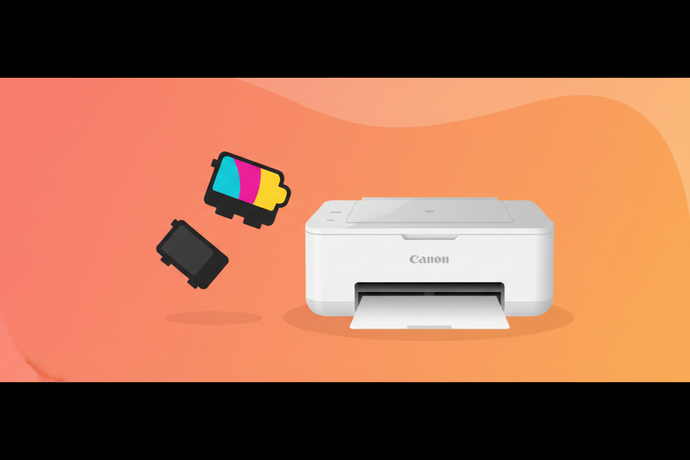
What Ink Cartridges Does the Canon PIXMA MX490 Take?
The MX490 series (including the MX492) uses two cartridges:
| Cartridge | Part number | Approx. yield | Castle Ink option |
|---|---|---|---|
| PG-245 Black (standard) | 8279B001 | ~180 pages | — |
| PG-245XL Black (high yield) | 8278B001 | ~300 pages | Castle Ink PG-245XL Black |
| CL-246 Color (standard) | 8281B001 | ~180 pages | — |
| CL-246XL Color (high yield) | 8280B001 | ~300 pages | Castle Ink CL-246XL Tri-Color |
Yields are ISO/IEC estimates. The CL-246 is a single tri-color cartridge holding cyan, magenta and yellow.
Is PG-245XL Worth It Over the Standard PG-245?
For most owners, yes. The XL fits the same slot, lasts well over half again as long, and costs less per page. The MX490 is an office all-in-one with a document feeder and fax, so it tends to get more use than a basic home printer.
What Other Printers Use PG-245 and CL-246?
The PIXMA MG2420, MG2520, MG2920, MG2922, MG2924, MG3020, MX490, MX492, iP2820, TS302, TS3120, TR4520 and TR4522 all use PG-245 and CL-246 cartridges.
How Do I Replace the Ink in the Canon MX490?
- With the printer on, open the paper output tray and then the front cover. The cartridge holder moves to the center.
- Push the old cartridge down until it releases, then lift it out.
- Remove the protective tape from the new cartridge without touching the contacts or nozzles.
- Insert it at a slight angle (color left, black right) and push it up until it clicks.
- Close the cover and let the printer initialize.
Can I Use Compatible Ink in the MX490?
Yes. PG-245XL and CL-246XL cartridges from Castle Ink fit and print like the originals. If the printer shows a remaining-ink warning, press OK, or hold the Stop button for about 5 seconds, to continue. See compatible vs remanufactured vs OEM ink.
Frequently Asked Questions
Is PG-245 the same as PG-243?
Not quite. PG-243 is a lower-yield version of the same cartridge. It fits the MX490 too, but it holds less ink, so PG-245XL is the better value.
Does the MX490 have a document feeder?
Yes. The PIXMA MX490 has a 20-sheet automatic document feeder for copying, scanning and faxing.
Why is my MX490 printing blank pages after a new cartridge?
Check that the protective tape has been fully removed, then run a cleaning cycle from the printer's Setup menu or the driver's Maintenance tab.
Shop PG-245XL and CL-246XL for the MX490
Castle Ink ships from Greenlawn, NY. Orders placed by 4 PM ET Monday–Friday ship the same day, and shipping is free on orders over $50.
Related: Find ink by printer
More printers that use PG-243/245 and CL-244/246
These printers take the same cartridges. See our updated ink guides for the PIXMA TS3122, TS302, TS202, MG3029, MG2525, MG2520, MG2420, and iP2820. Shop Castle Ink's compatible PG-245XL black and CL-246XL tri-color cartridges.
Similar model, different ink: the PIXMA MX470 and PIXMA MX472 look like this printer but use the larger PG-240/CL-241 cartridges, which won't fit here.
Need replacement Canon ink cartridges? Shop Canon ink cartridges at Castle Ink. Remanufactured, up to 70% less than OEM, and shipped the same day when you order by 4 PM ET.
An independent 0–100 score for every printer, refreshed monthly from thousands of owner reviews and expert tests — plus what the ink or toner actually costs to run. See this month's Top 10 inkjet and laser rankings, or use the PrinterIQ™ finder.
See the CastleScore rankings →